Wudget

Mobile personal finance tracking app based on the 50/30/20 budgeting method

Period:

Since 2024

Role:

Product concept Art direction UX/UI Launch operations Legal setup

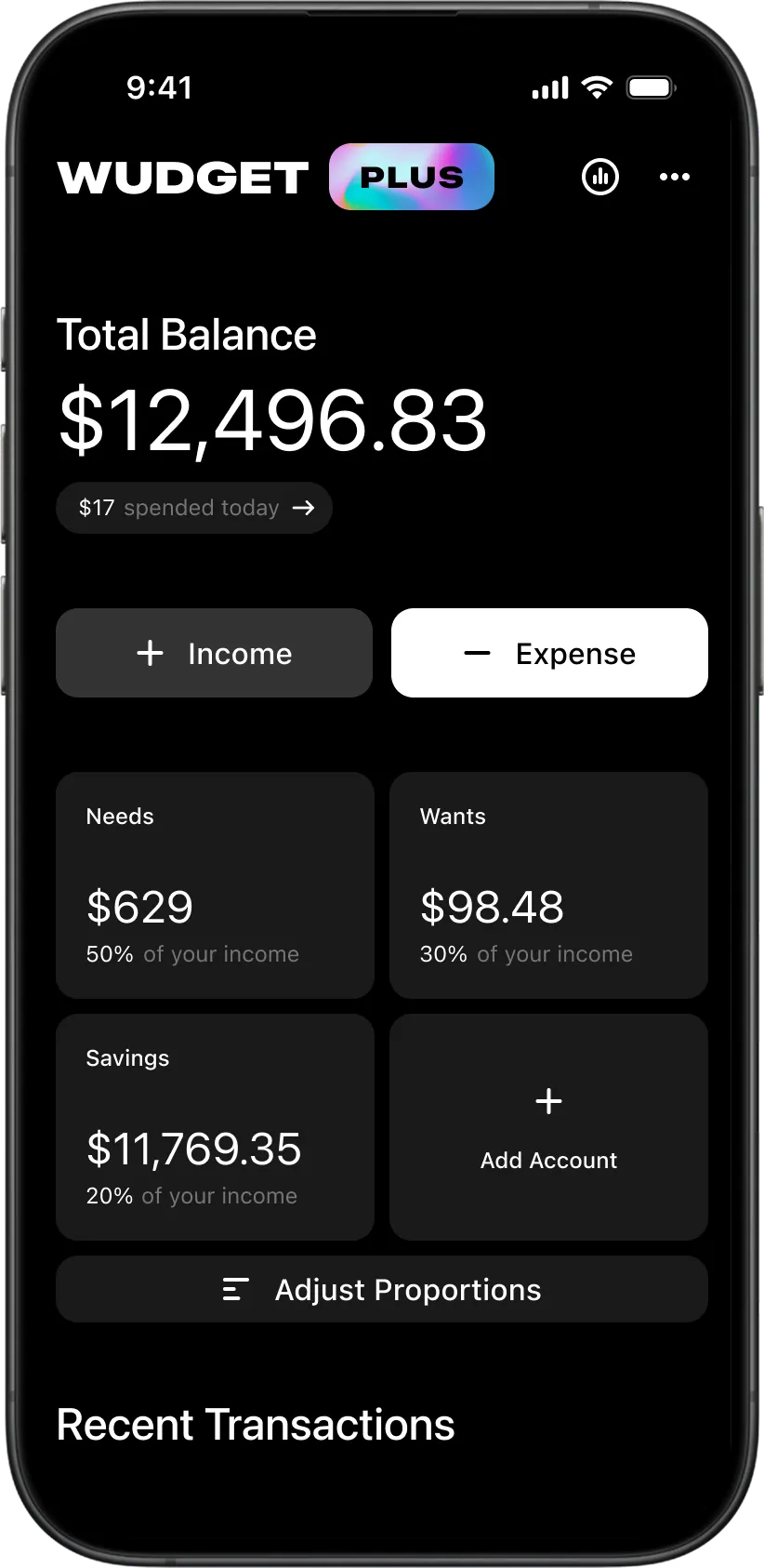
  • Main dashboard screen of the Wudget personal finance app showing balance overview, accounts, and quick financial actions.
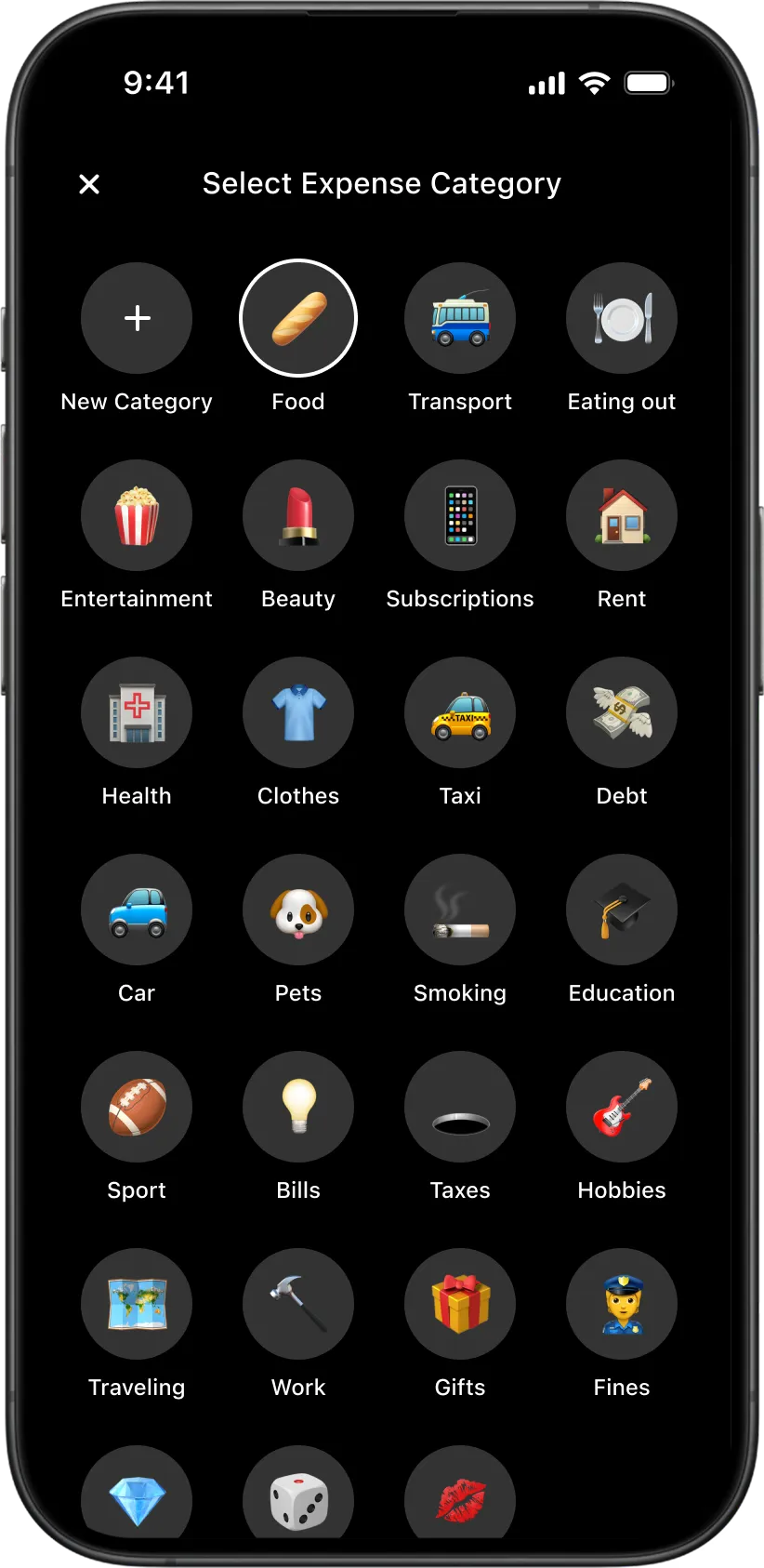
  • Expense category selector in the Wudget budgeting app with emoji-based categories for everyday spending tracking.
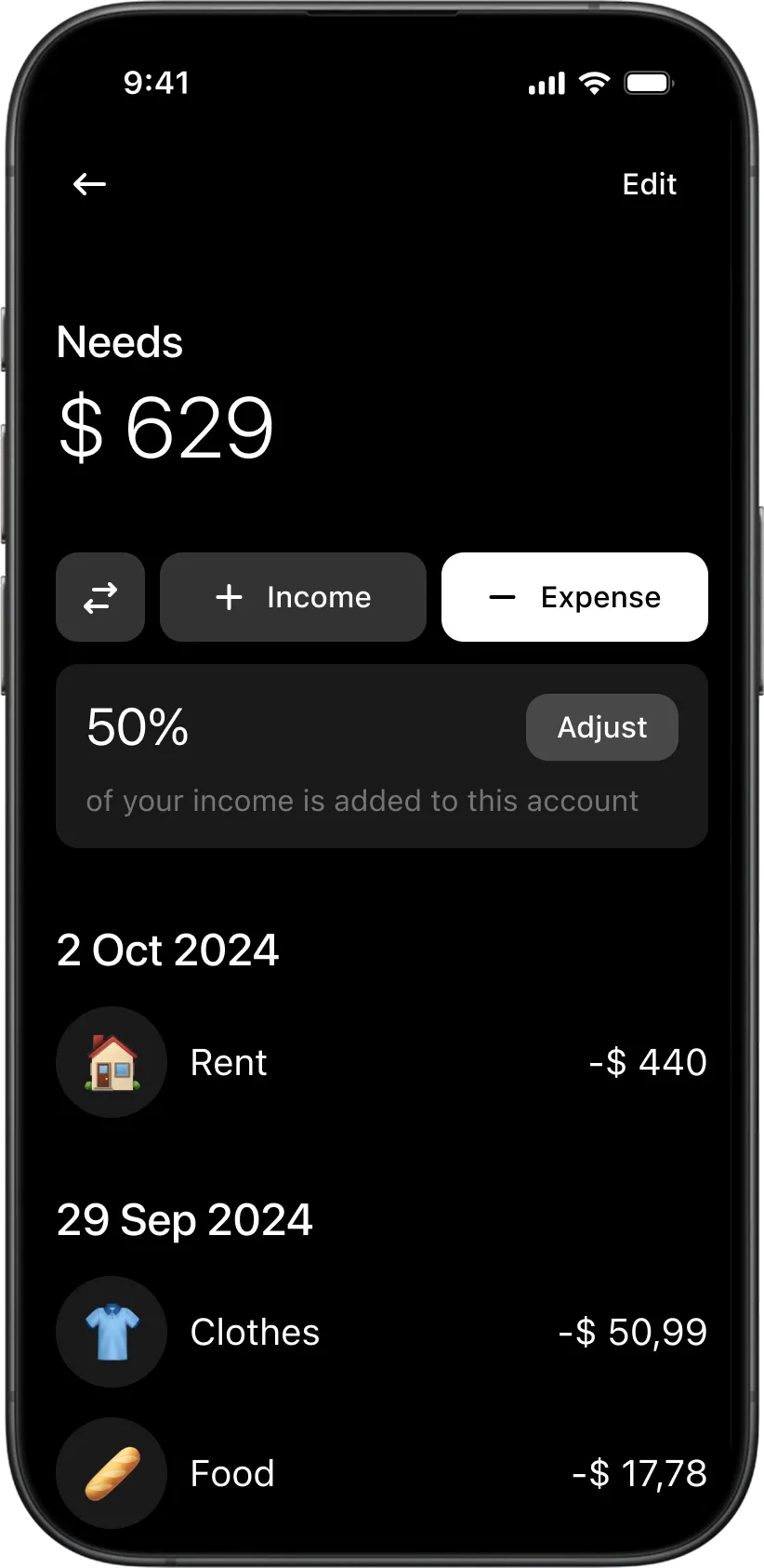
  • Detailed account screen in the Wudget budgeting app showing transactions, balance, and income proportion settings.
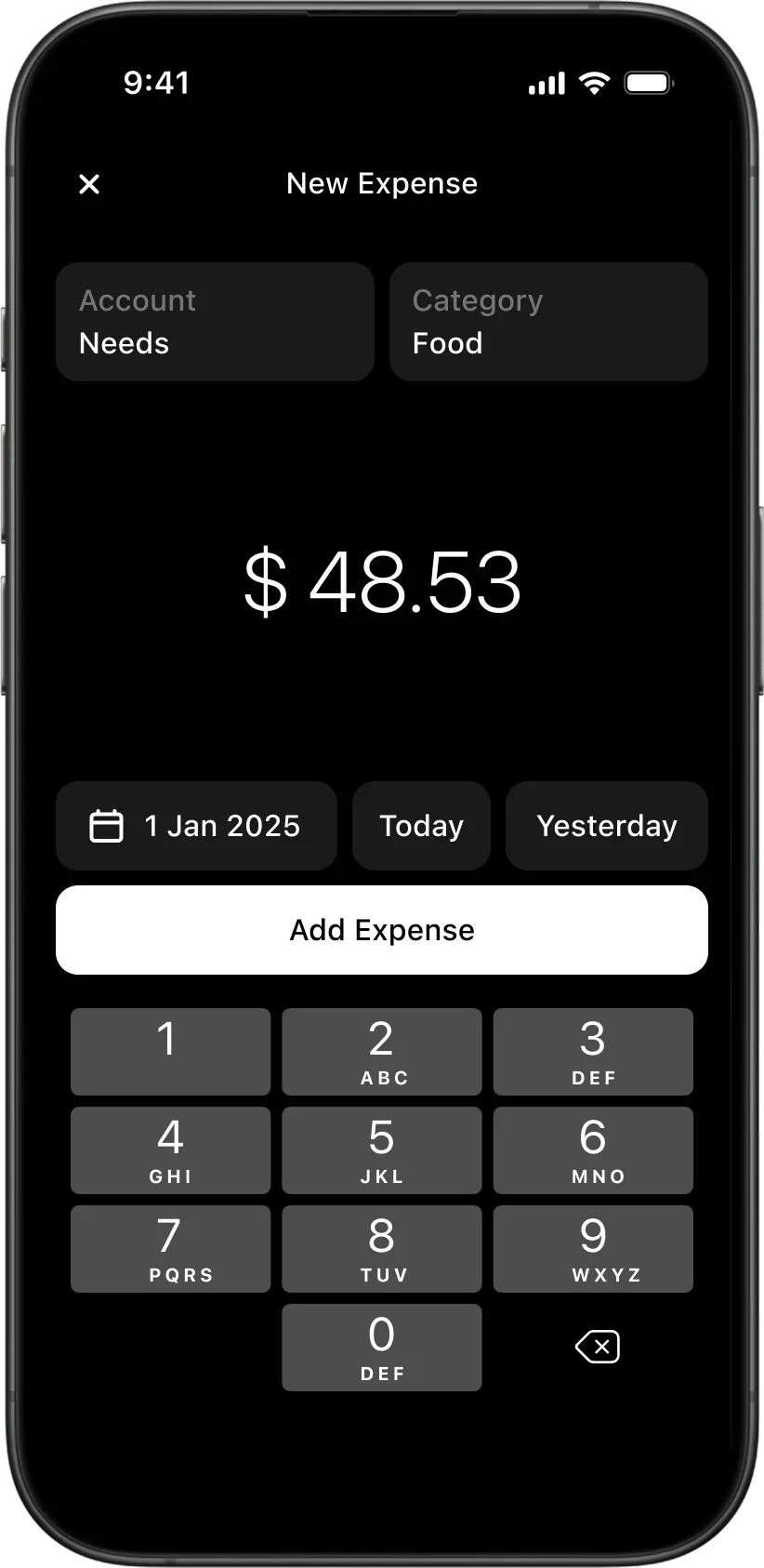
  • Expense transaction creation screen in the Wudget finance app with category selection and quick amount input.
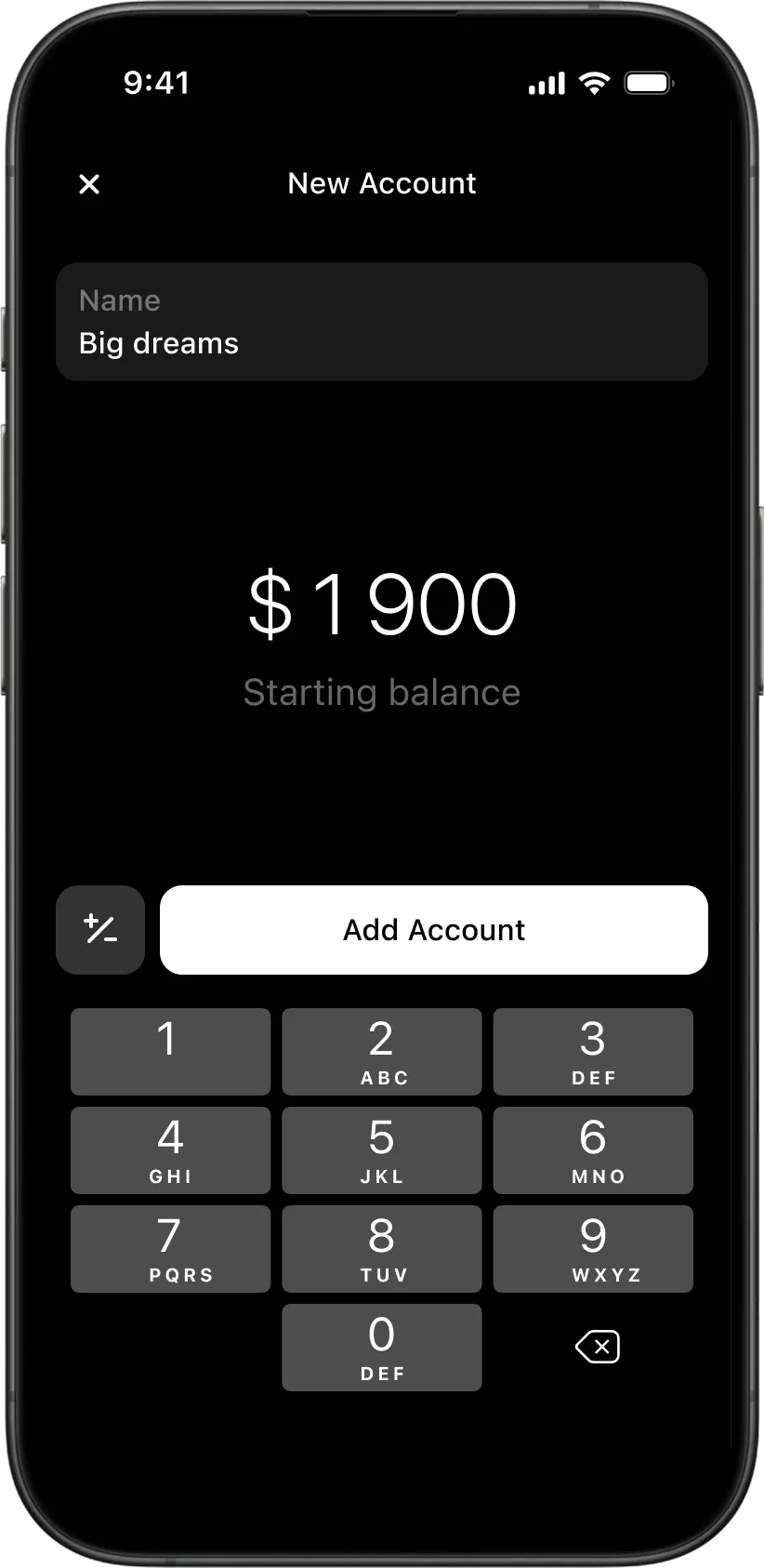
  • New financial account creation flow in the Wudget budgeting app with custom balance setup and account naming.
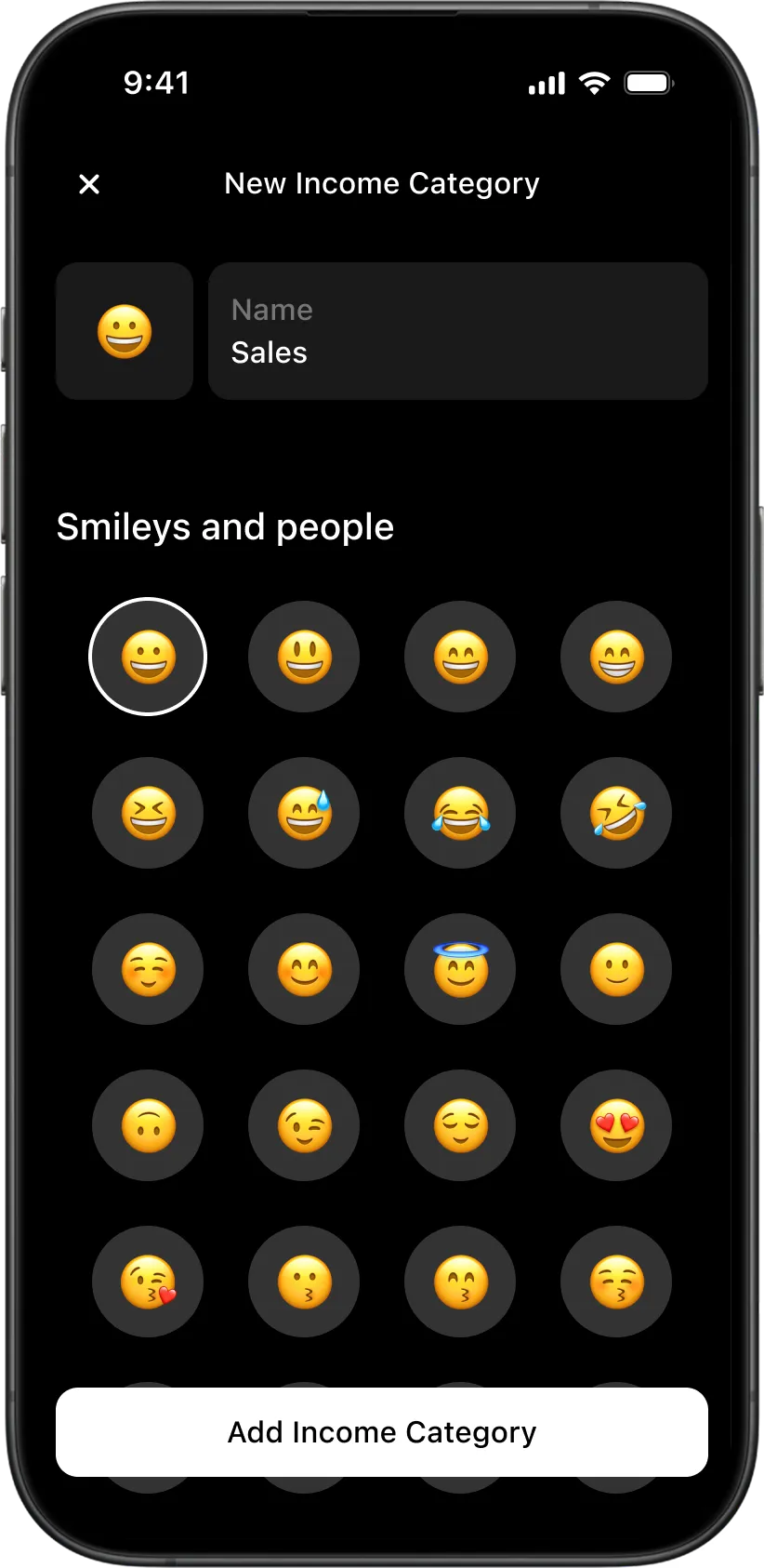
  • Custom income category creation screen in the Wudget budgeting app with emoji picker and category personalization.
  • Automatic income distribution interface in the Wudget finance app showing 50/30/20 allocation across accounts.
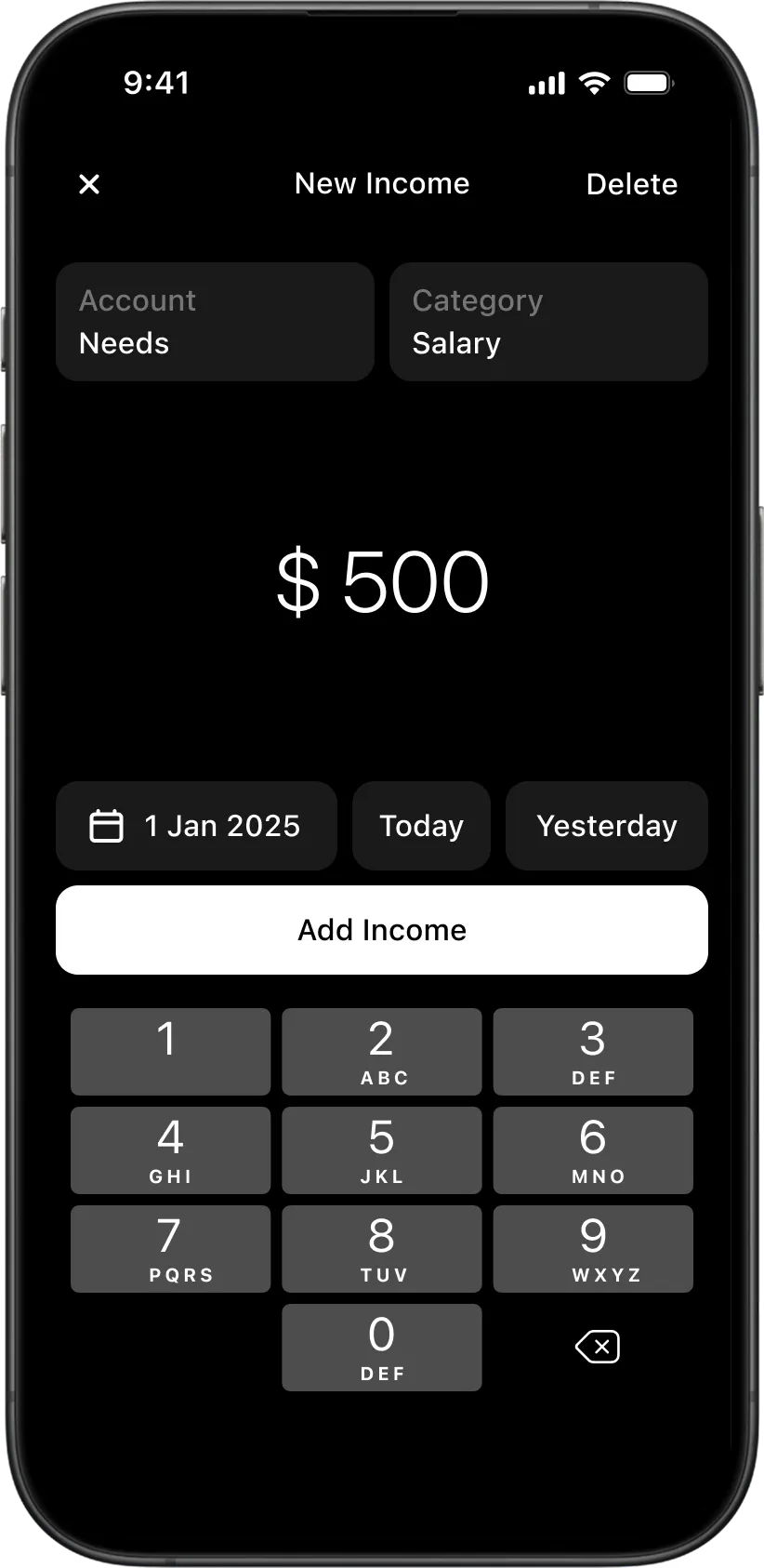
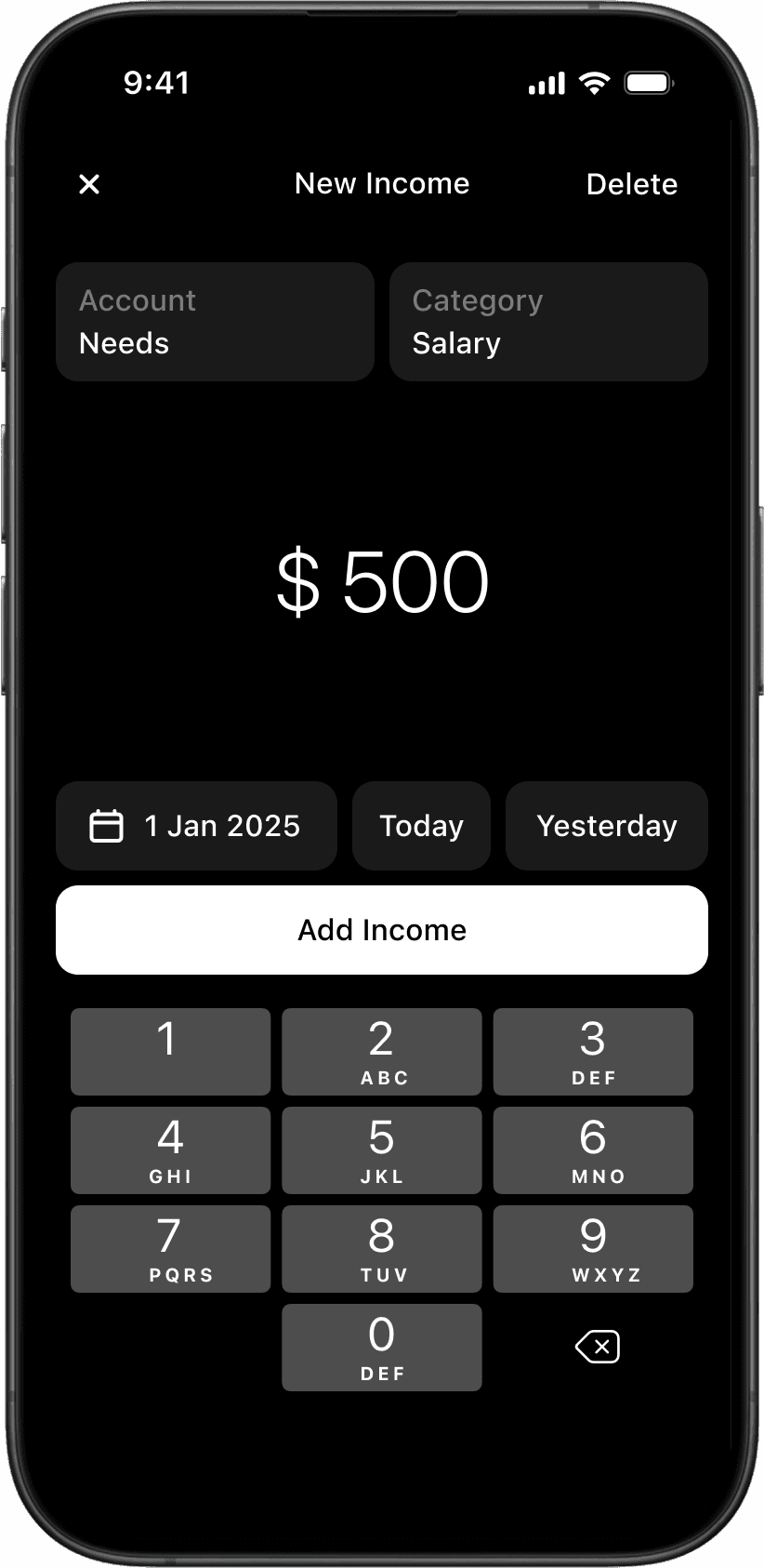
  • Income creation flow in the Wudget budgeting app with account selection, category assignment, and numeric input.
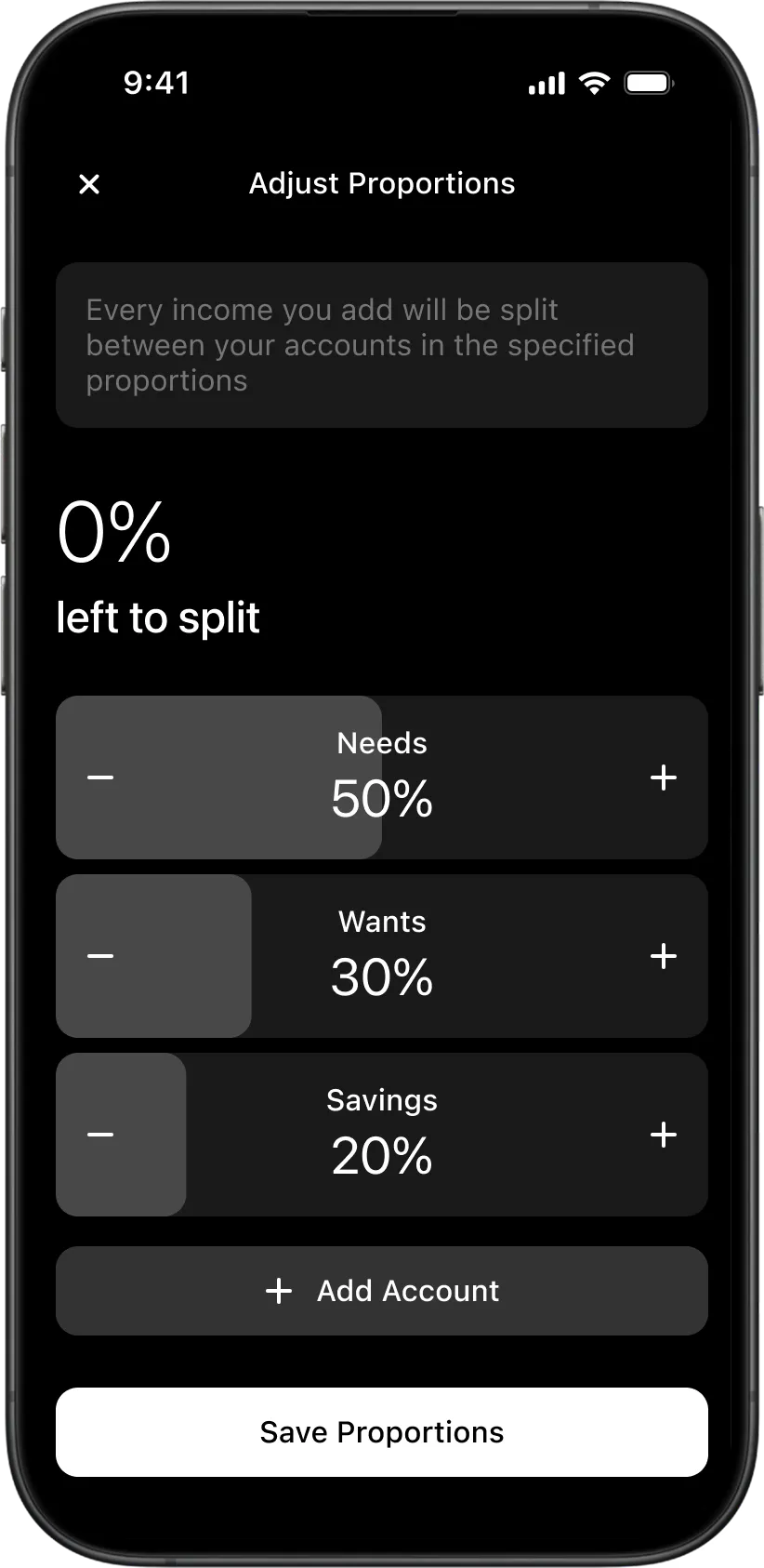
  • 50/30/20 budget proportion adjustment interface in the Wudget finance app with customizable income distribution.
  • Custom account proportion adjustment screen in the Wudget budgeting app with multiple financial baskets and percentage allocation controls.
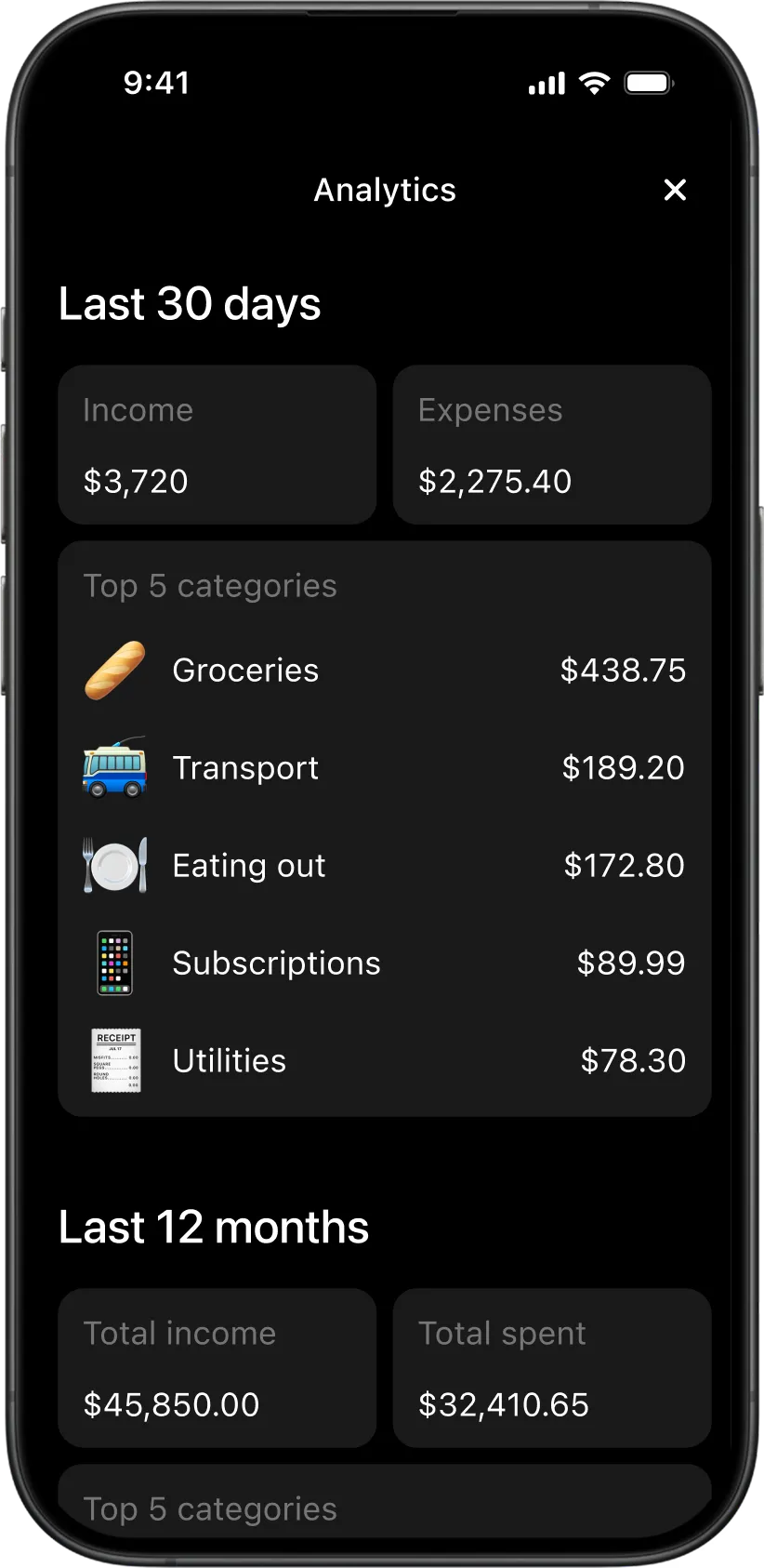
  • Financial analytics dashboard in the Wudget app showing income, expenses, and top spending categories over time.
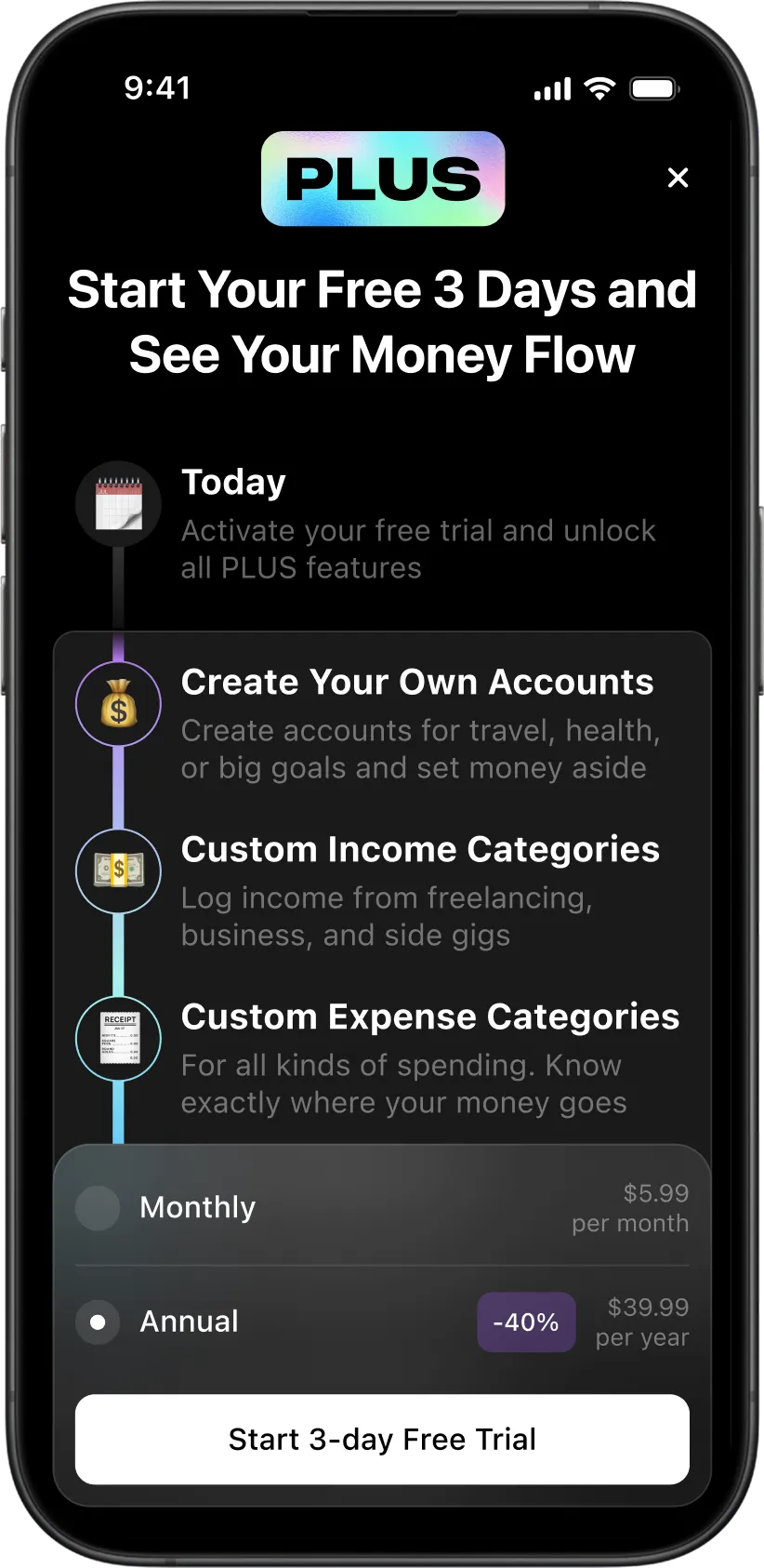
  • Premium subscription paywall screen in the Wudget budgeting app with advanced account and category customization features.
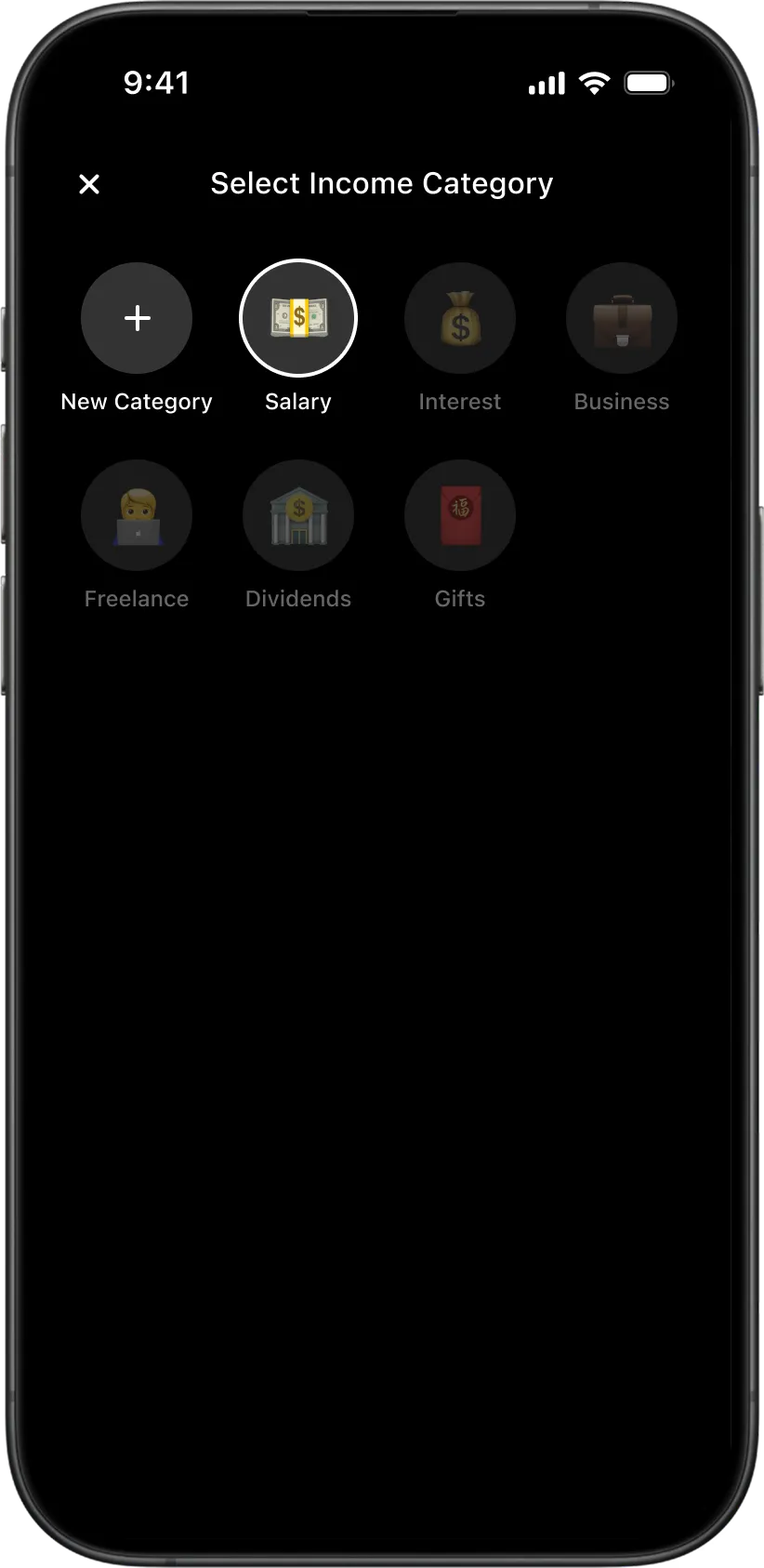
  • Income category selection interface in the Wudget finance app with customizable income sources and emoji icons.
  • Expense category selection screen in the Wudget budgeting app with locked premium categories and emoji-based organization.
  • iPhone Home Screen widget for the Wudget budgeting app showing quick balance actions and financial shortcuts.
  • Dark mode settings screen for the Wudget personal finance tracking app with widget management and category customization.

Wudget is an attempt to make money tracking a natural part of everyday life.

Usually, financial tracking turns into stress: you constantly calculate things, compare numbers, try not to go over limits, move expenses around, feel guilty about unnecessary purchases, and eventually get tired of the process itself.

We wanted to build a product that holds the financial structure on its own while the person simply lives inside it.

50/30/20 Method

Wudget is built around a simple principle of splitting every income into three parts:

50% — mandatory and recurring expenses
30% — small and big wants
20% — savings

This system helps people understand in advance how much money they have in each zone and not worry that random expenses will hit essential payments.

This is the exact principle we decided to build directly into the app’s everyday usage flow.

Welcome to Wudget

From the very beginning, we defined one main principle — radical simplicity.

We did not want to build the app around a tab bar, nested screens, and complicated navigation. Instead, we set ourselves the goal of building the whole product around one main dashboard that shows the current financial state and allows users to launch all key scenarios from one place.

In practice, the pursuit of simplicity demanded the hardest design decisions. Several times we even considered abandoning this idea because functionally the app kept pushing toward a more familiar multi-screen structure. But in the end we managed to preserve this principle until the very last stage.

The main Wudget screen shows the overall financial picture, account states, and gives quick access to all major actions inside the app.

How Wudget Works

The main scenario inside the app is creating two types of transactions: income and expense.

We intentionally made this process as short and seamless as possible. Every record is built around two basic elements — category and account — so the adding logic always stays the same:

  1. User taps create transaction on the dashboard

  2. Selects the needed category

  3. Enters the amount

We kept this same principle for the rest of the app’s elements as well: creating accounts, income categories, and expense categories follows the same quick flow inside one shared system.

Income Distribution

The main product decision inside Wudget is automatic distribution of any income across financial baskets.

When adding income, the To all accounts function is enabled by default: the app automatically splits the incoming amount between mandatory expenses, wants, and savings in 50/30/20 proportions.

This removes the need to manually spread money around and think every time about how much should go where.

At the same time, income can also be assigned to one specific account if the user wants to top up only one financial basket.

Flexible Proportions

50/30/20 is the basic scenario, but it is not universal for everyone.

Depending on income level, lifestyle, and financial goals, users can freely adjust these proportions for themselves.

Besides that, users can create additional accounts and build a custom distribution system in whatever way feels comfortable.

Analytics

In addition to the main dashboard information, we added a separate analytics section with key income and expense indicators across different periods.

This allows users not only to record money movement, but also to see their own financial habits in a longer perspective.

Widgets

The product name Wudget comes from a combination of the words Budget and Widget.

Because of that, widgets became an important part of the overall experience as well.

We paid special attention to making sure users could launch key actions, quickly check balances, and interact with their finances directly from the Home Screen without opening the app every single time.

Business Model

Monetization became a separate challenge for us.

We did not want to build it around aggressive limitations where the user gets half of the product for free and immediately hits a subscription wall for everything actually useful.

That is why we decided to leave all key Wudget features free, including automatic income distribution and proportion customization.

It felt illogical to take these tools away specifically from the people who need financial order the most.

Instead of limiting functionality, we decided to limit the depth of the system.

In the free version, the user can have three basic accounts — needs, wants, and savings. For the 50/30/20 method this is already enough, which means the person gets a complete working scenario without the feeling that the app is artificially cut down.

The same principle works for the number of income and expense categories: basic financial tracking remains accessible, while extended customization becomes part of the paid model.

Conclusion

Wudget became my first experience of not just designing for someone else’s task, but fully participating in the creation of my own product.

Here I had to think simultaneously about user experience, visual system, business model, launch legalities, and internal organizational processes inside the team.

This project gave me a lot of new professional experience and allowed me to look at design differently — as a part of a much larger product system, not just as an interface.

The hardest challenge we were never able to fully solve was growth. We had strong designers, visionaries, and developers, but we lacked the marketing expertise needed to push the product into stable traction.

Wudget is currently on hold, but the experience of building it became an important professional milestone for me and directly affects how I approach product problems today.