Between 2023 and 2024, I led the product design for Tuff Stuff, turning a luxury and vintage resale Telegram community into a full-featured mobile marketplace.
I brought in a second designer to accelerate production and together we shaped the platform architecture, user flows and visual identity to create a trusted, high-end shopping experience
Context: From Telegram to Marketplace
Tuff Stuff began as a curated Telegram channel where people bought and sold rare vintage fashion and luxury items.
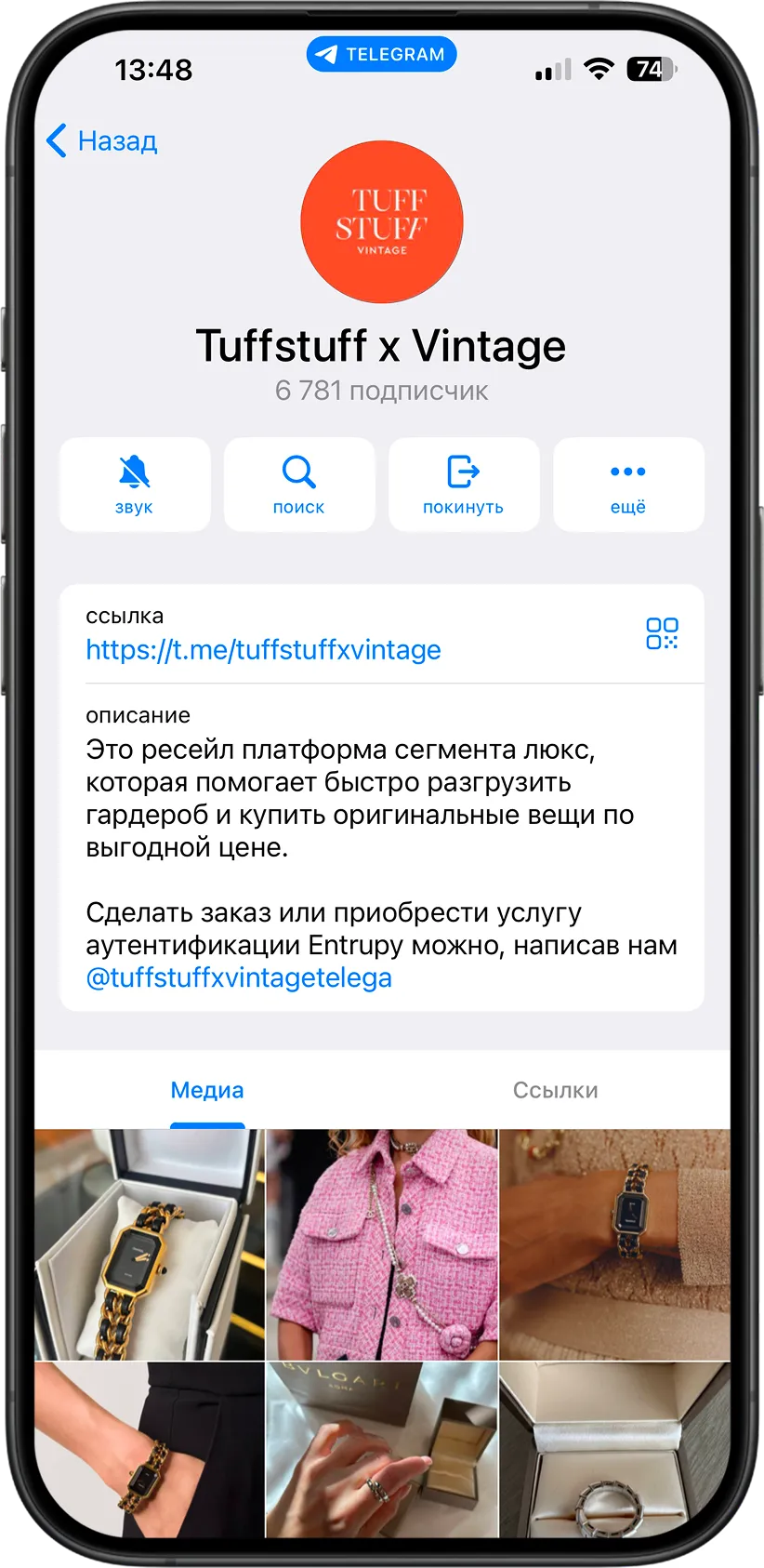
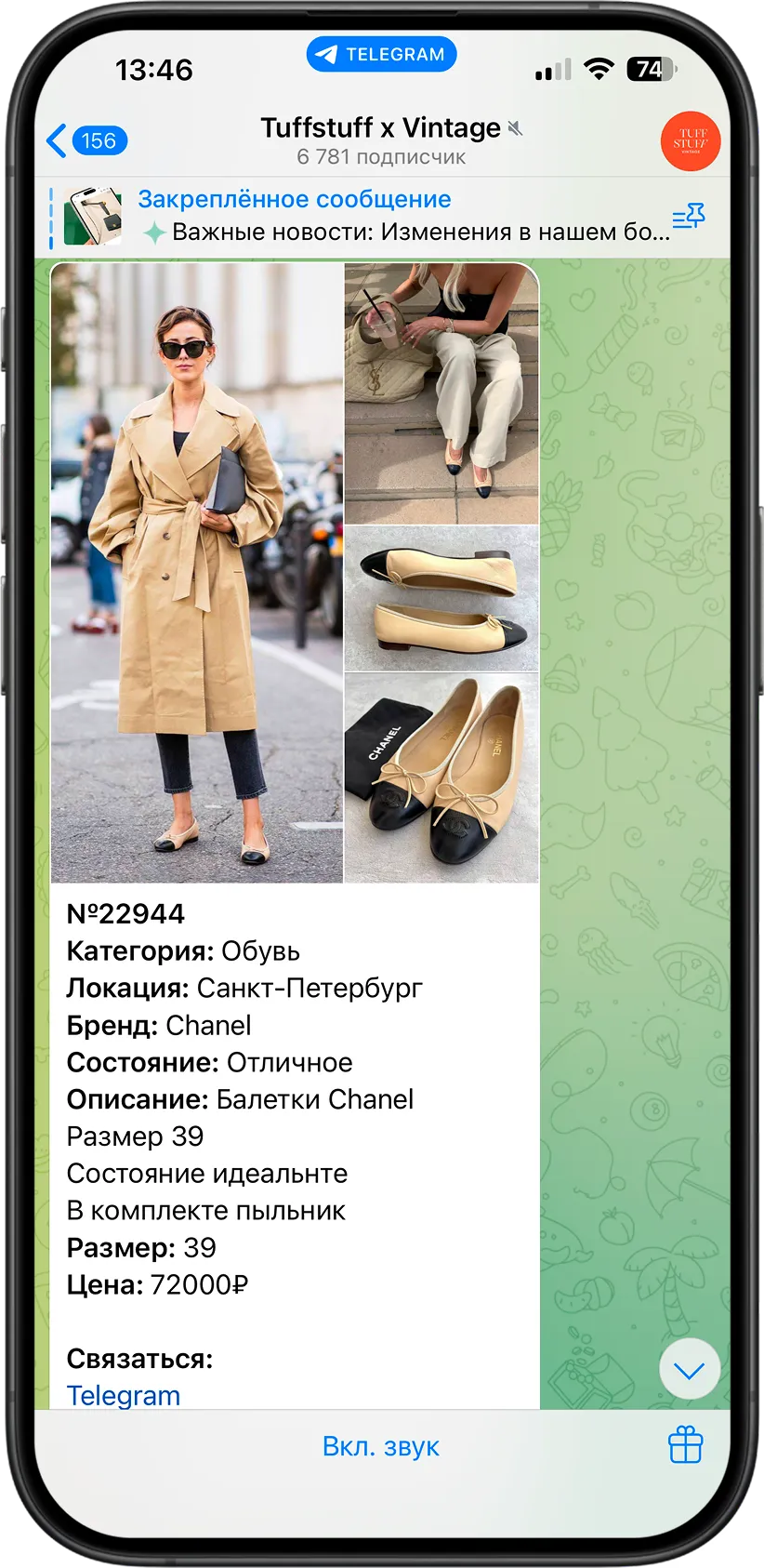
Everything was handled manually through direct messages and community admins. As the platform grew, the team needed a dedicated mobile app that could handle search, listing creation, seller profiles, in-app chats, order tracking and authentication.
The goal was to build a clean resale platform that felt more like a high-end digital magazine than a dry classifieds board.
My Role
I started the project as the sole designer, later bringing on a second designer to speed up execution.
The founder provided the core business vision, and from there we mapped out the user scenarios, app architecture and visual system.
We designed and handed off a complete, production-ready platform covering every key user flow and edge state.
Starting with the Product Card
Instead of starting with basic navigation, we began with the single most critical screen: the product card. In luxury resale, this is where decisions happen.
Buyers need to examine item condition, verify authenticity details and trust the seller.
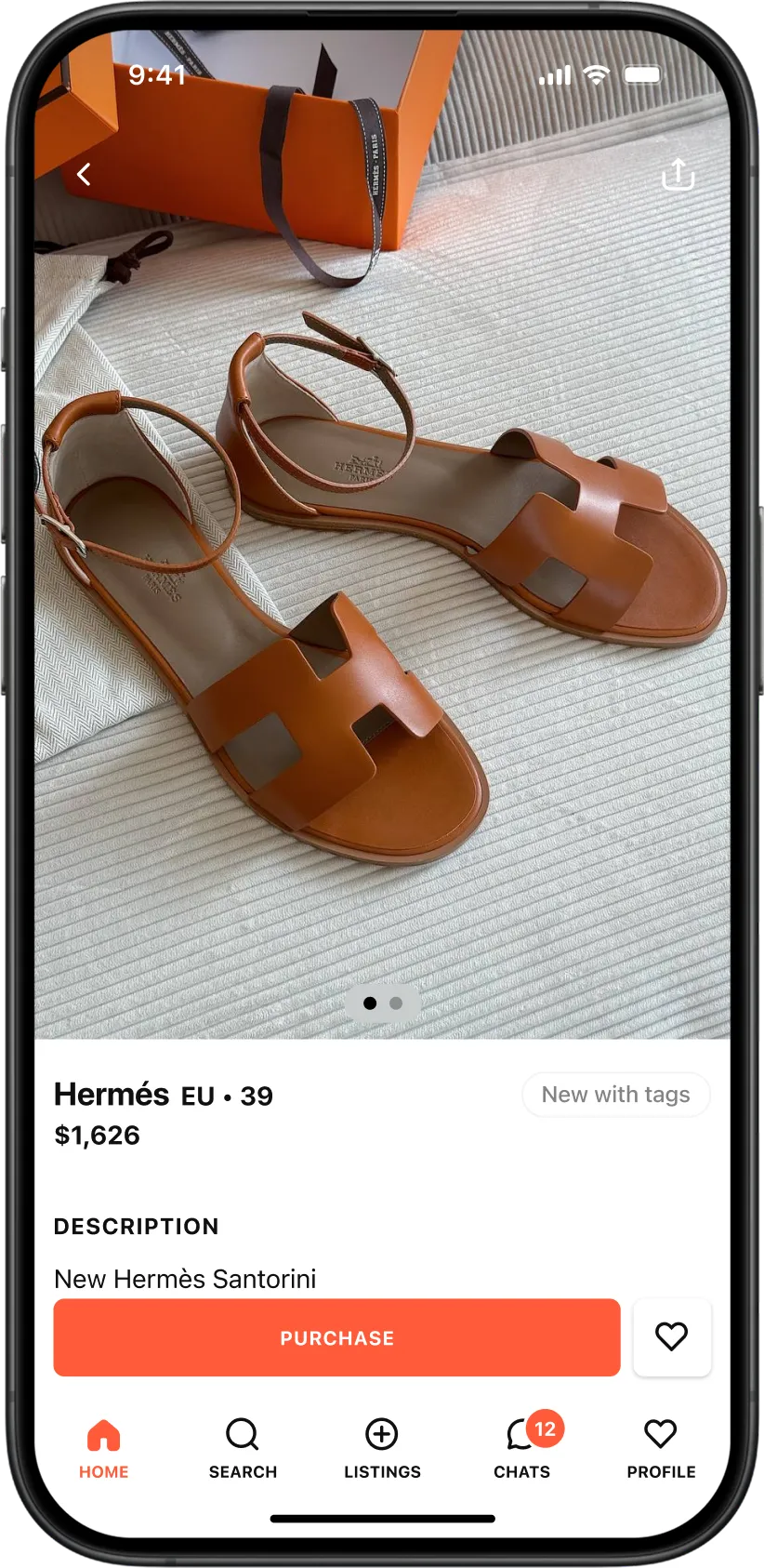
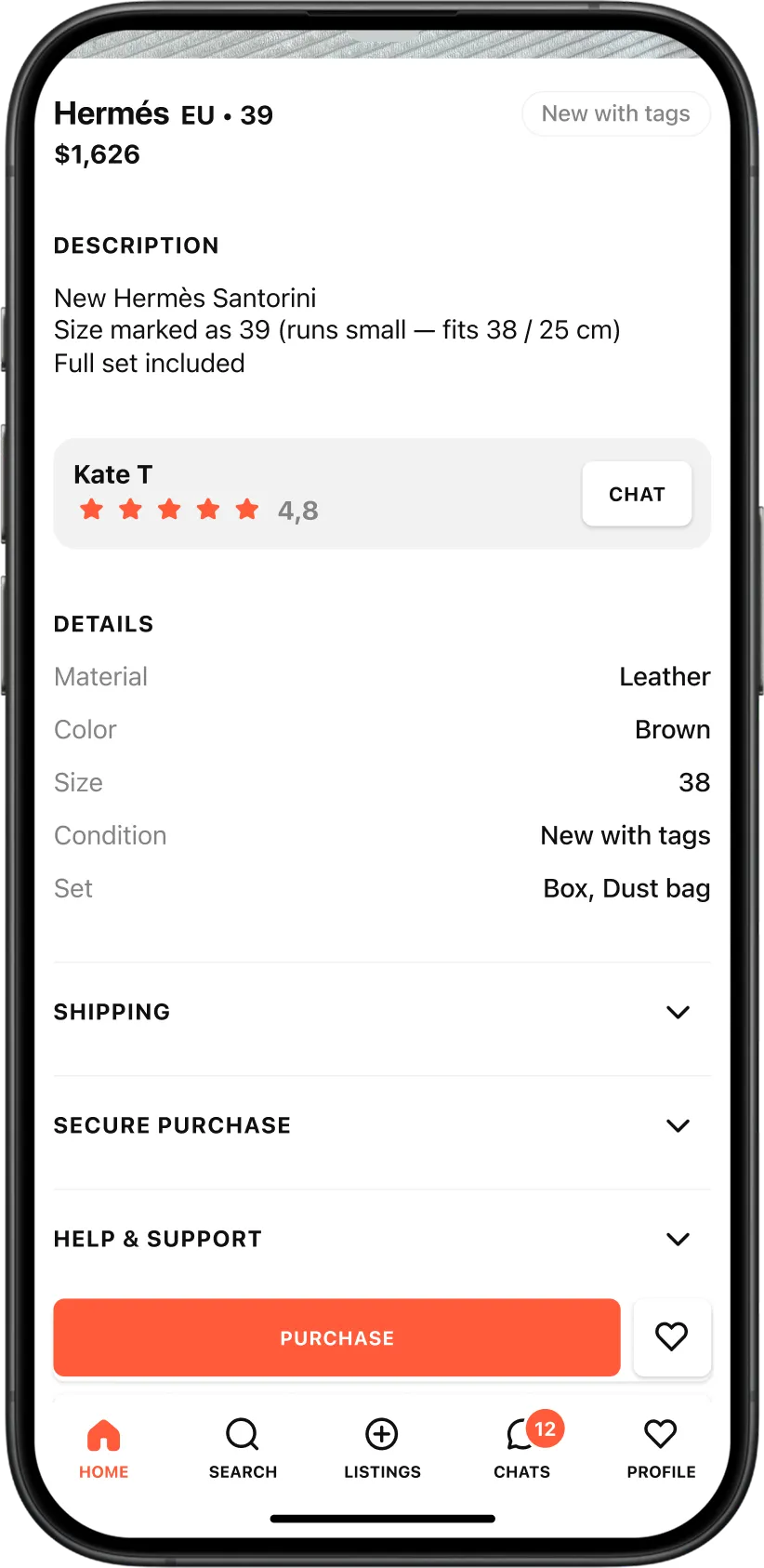
We used this screen to anchor the entire design system, relying on large photos, quiet typography and minimal UI clutter so the items take center stage.
The Main Feed.
Curated Discovery
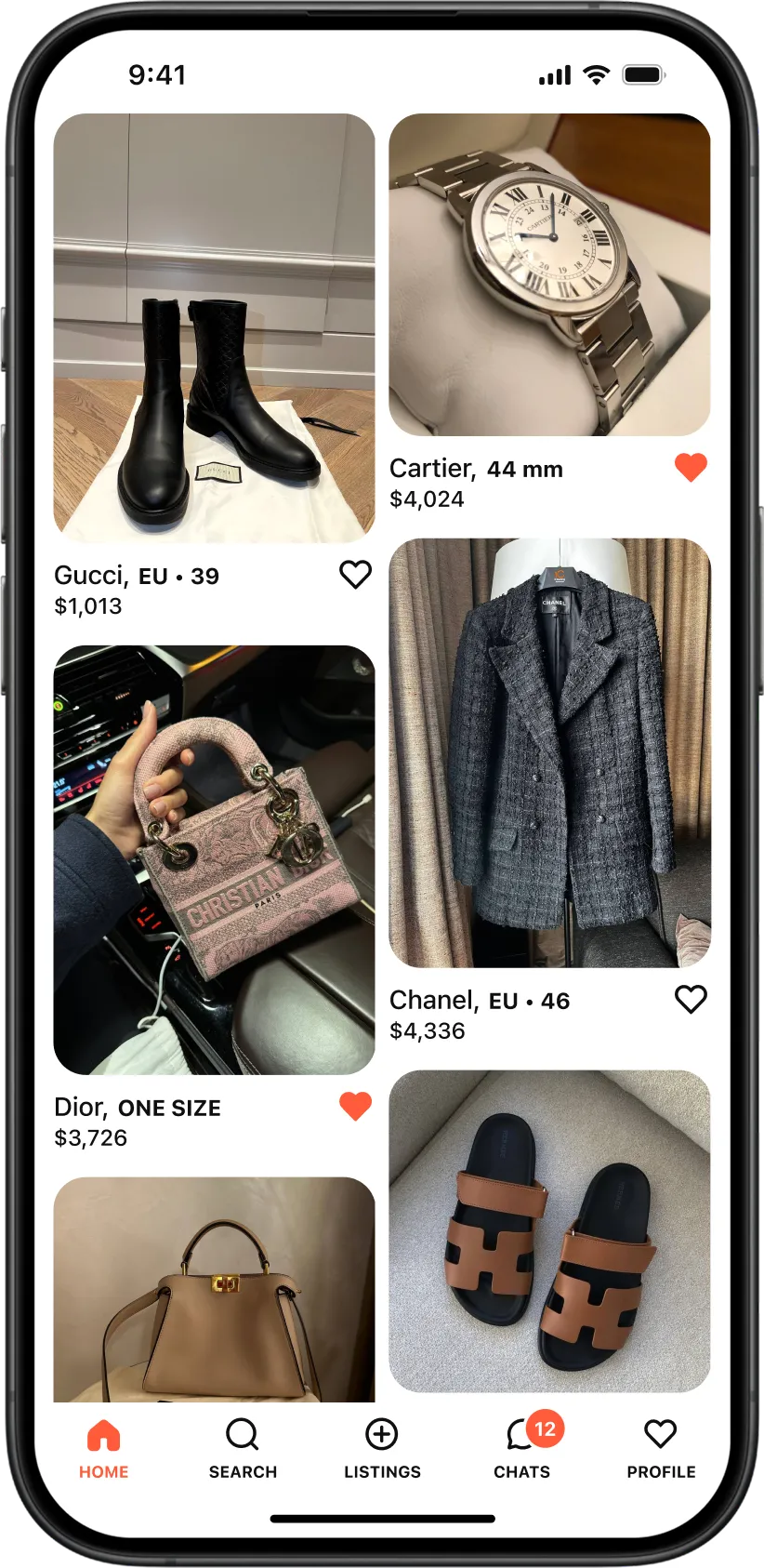
We designed the home feed to encourage exploration rather than just utilitarian search.

Large visual cards and clean metadata turn browsing into an inspiring scroll, helping users discover rare vintage pieces naturally.
Fast Search and Filters
Finding specific high-end items requires detailed filtering, but nobody wants to fill out a tax form.
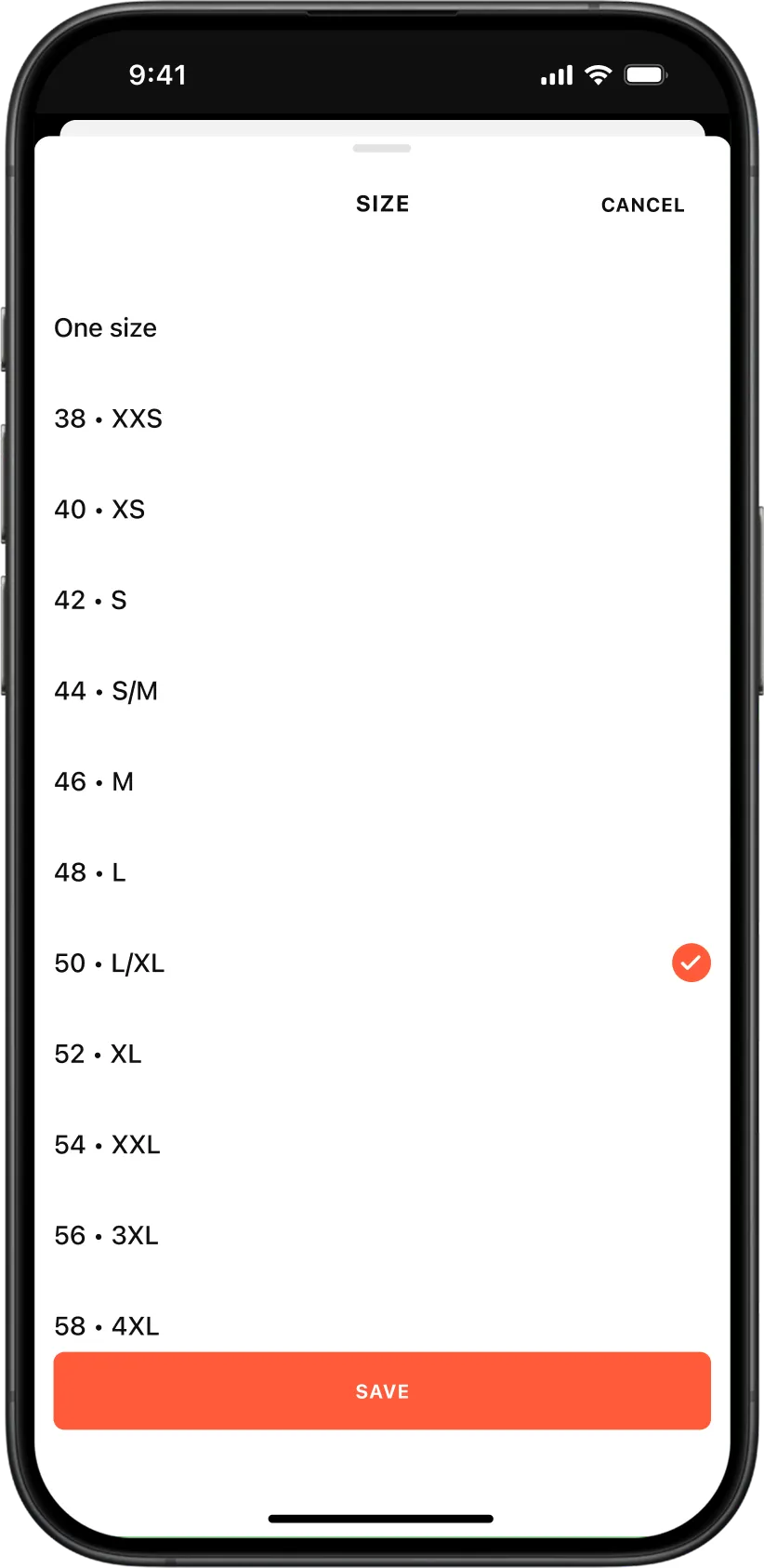
We built a native search system with quick filter chips for categories, brands, sizes, condition and gender.
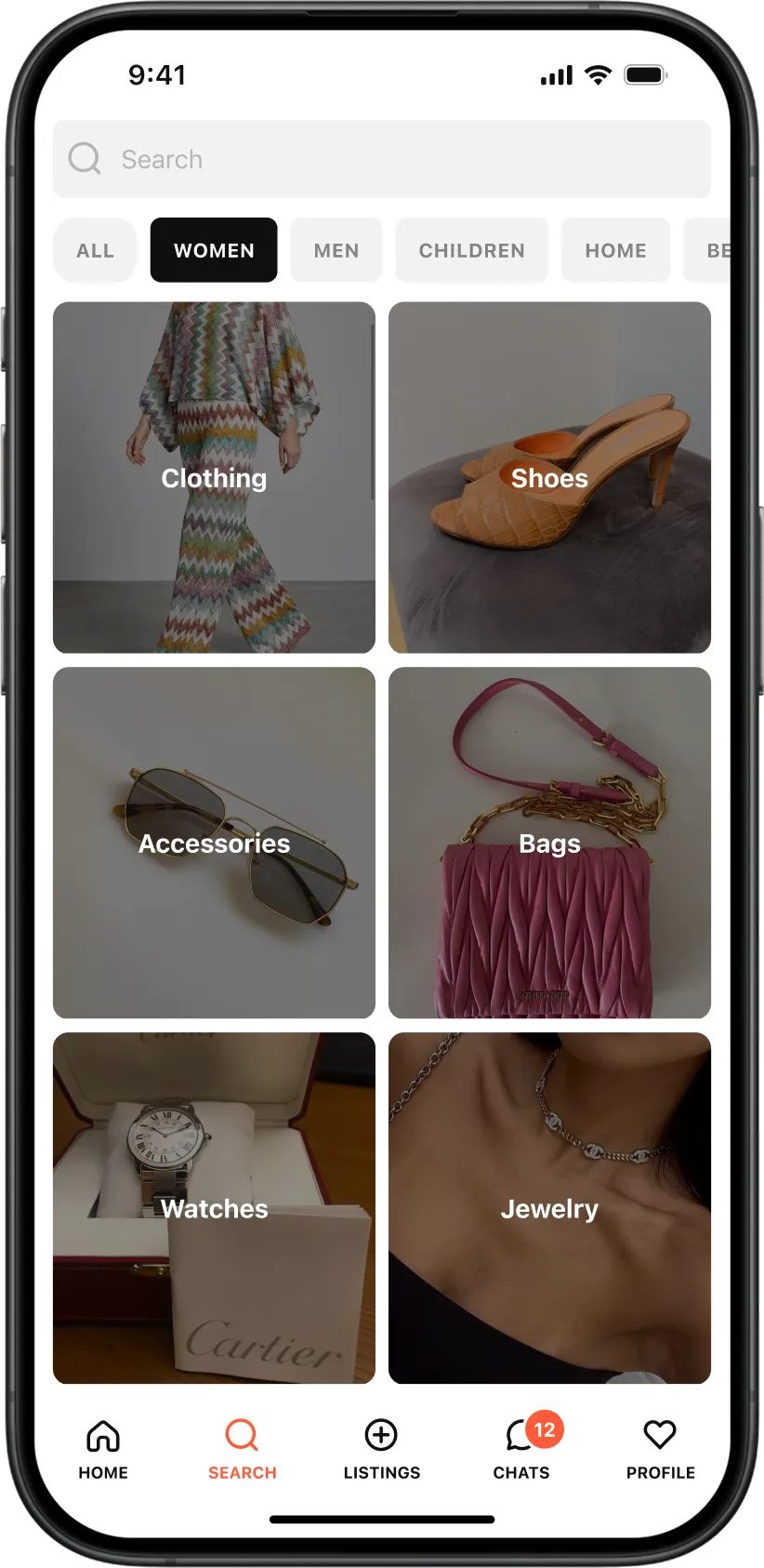
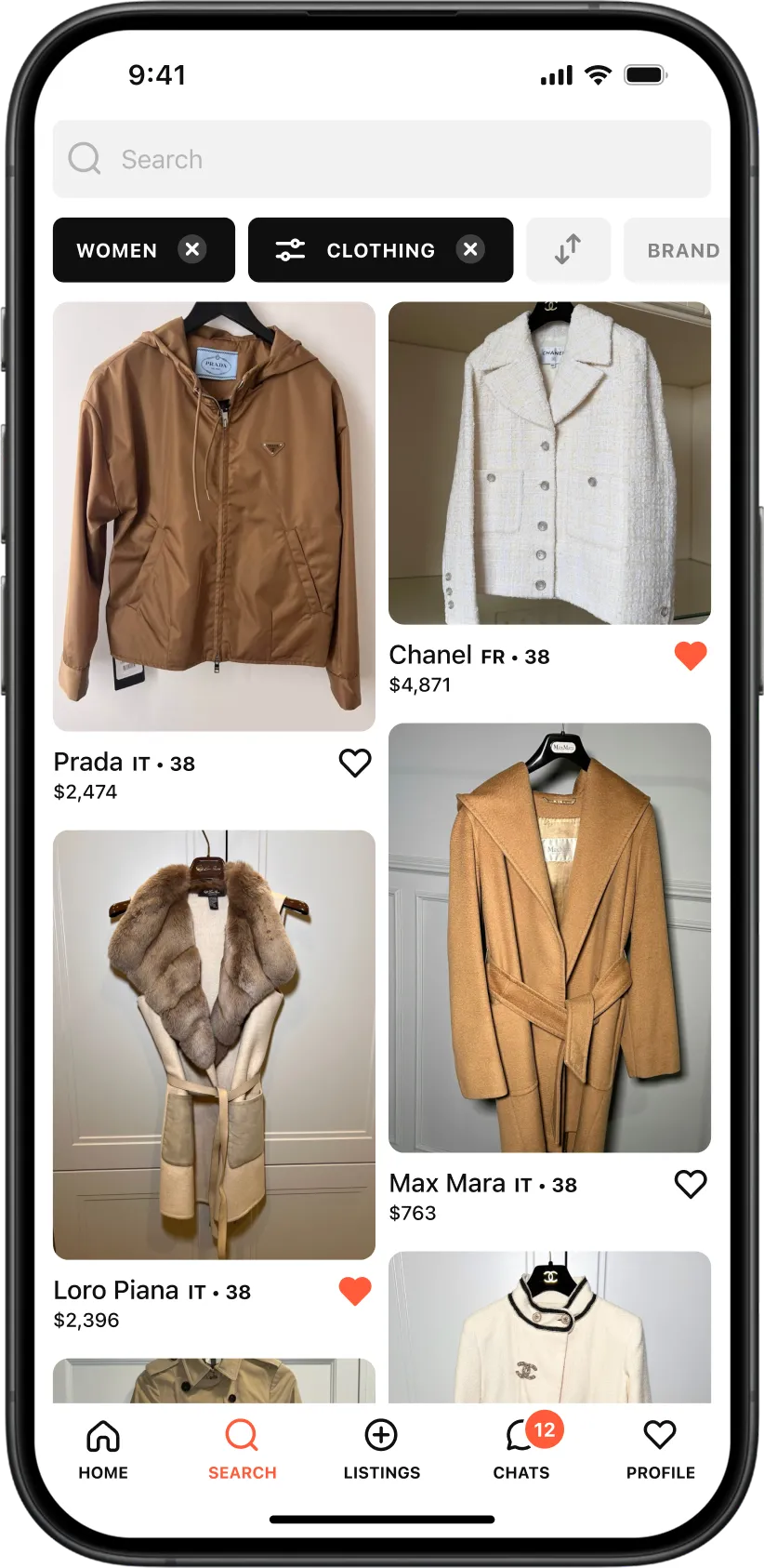
Users can narrow down thousands of listings in a few taps without losing their place.
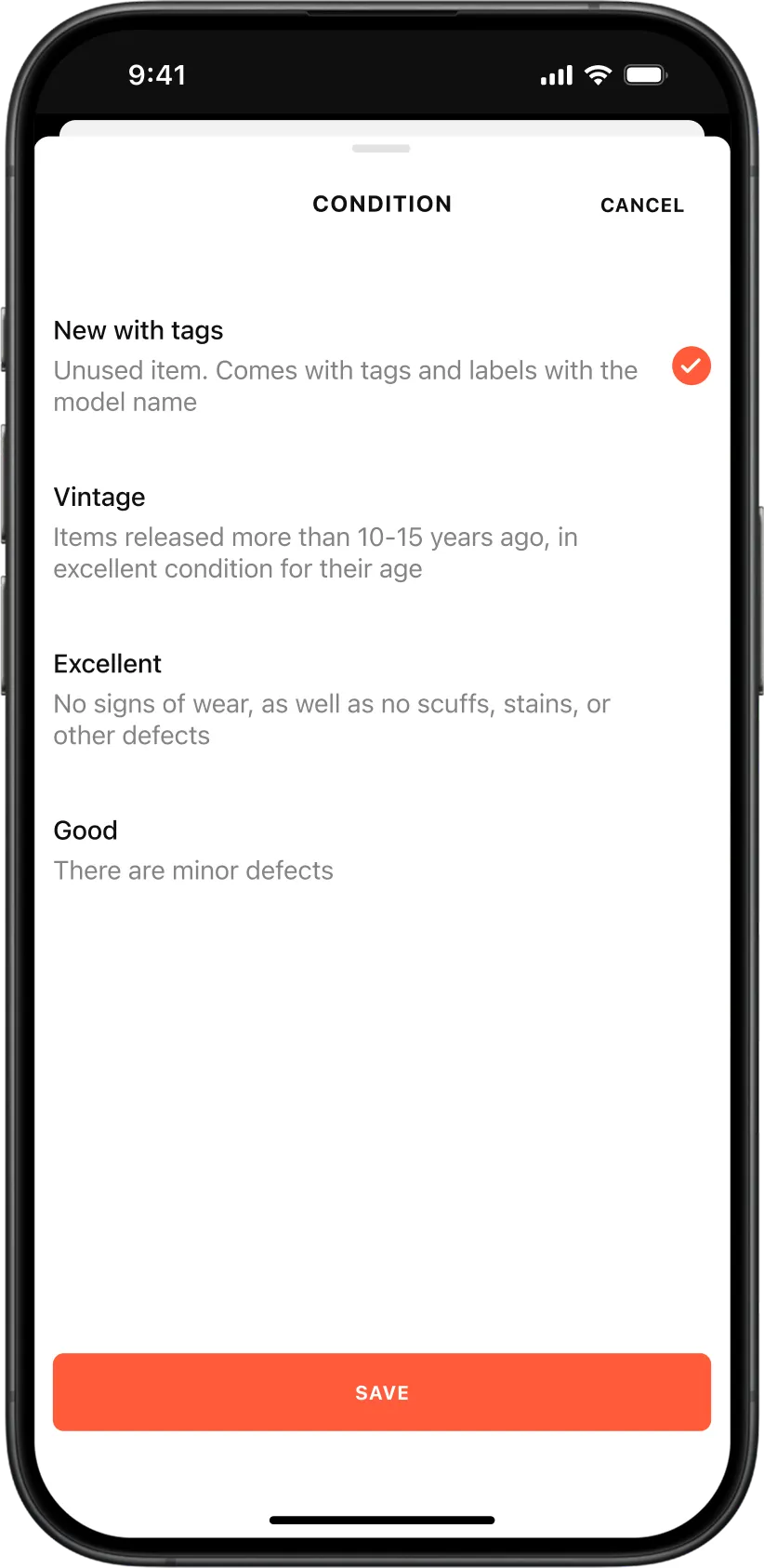
Listing Creation via Progressive Disclosure
Selling a luxury item requires collecting a lot of detail for verification, but a long form can easily frustrate users.
We solved this with progressive disclosure on a single screen.

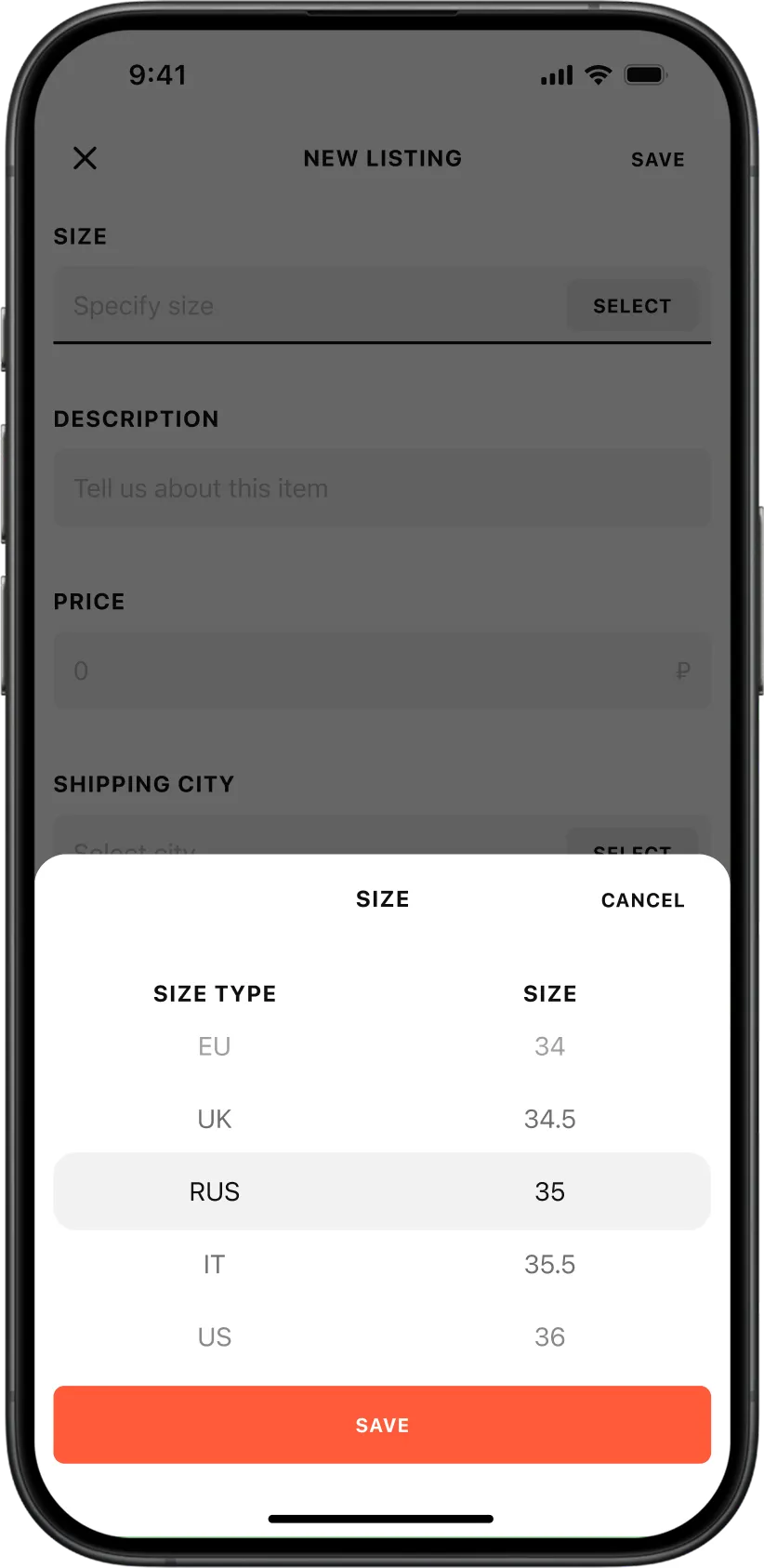
New fields appear step-by-step as previous inputs are completed, while deeper technical details like serial numbers open in clean modals.
Sellers can review a live preview of their listing before hitting publish.
Contextual Chats and Order Updates
In vintage resale, communication builds trust.
Instead of a detached messaging inbox, chats in Tuff Stuff are tied directly to specific products and orders.
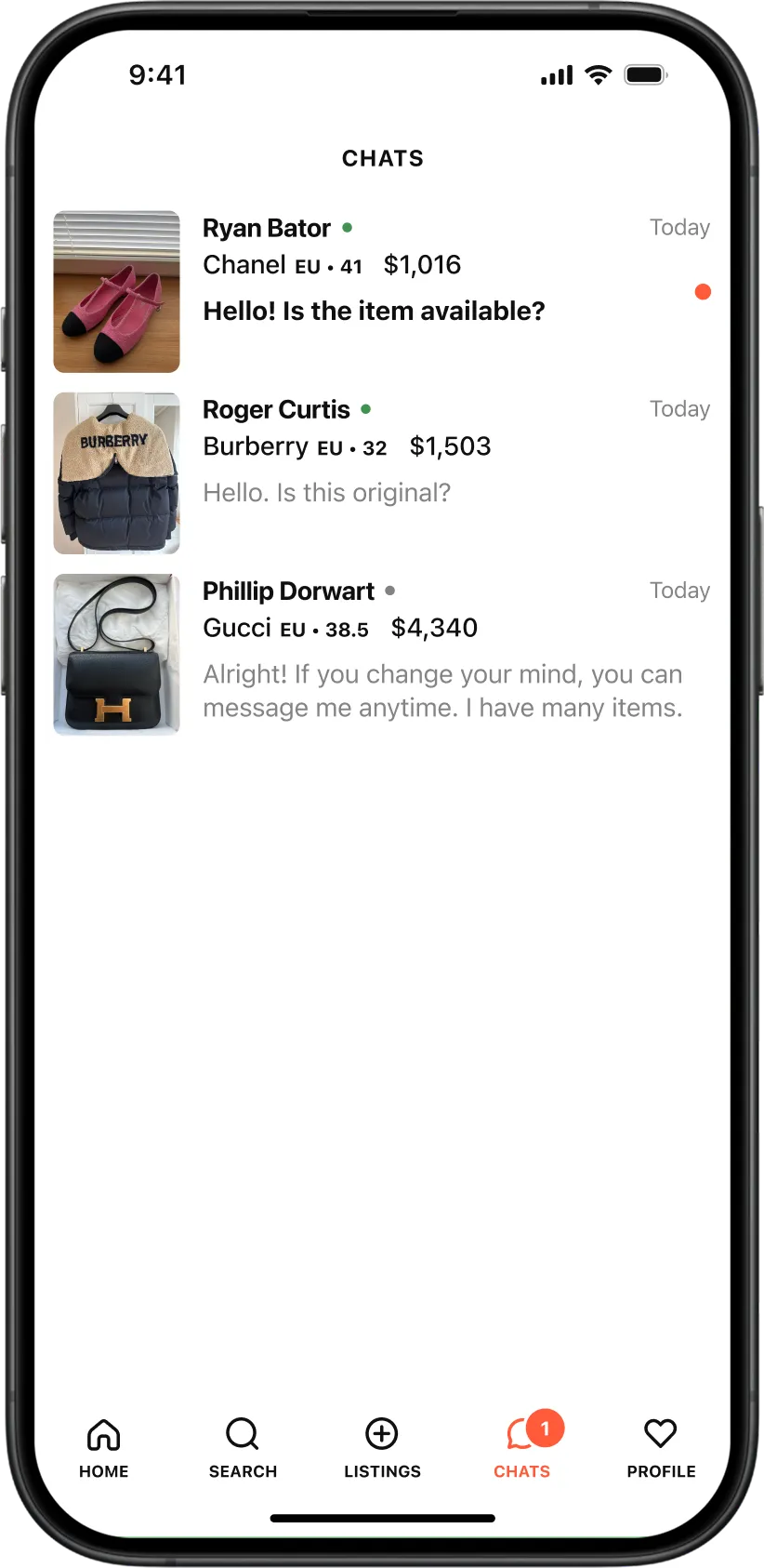

Buyers and sellers can discuss item details in context, while automated system messages track authentication, payment, shipping and delivery status directly inside the chat thread.
Profile, Wishlist and Navigation
To keep the bottom navigation bar compact, we merged saved items and profile management under a single heart icon.
Tapping the tab opens saved items first, as that is the most common personal action.
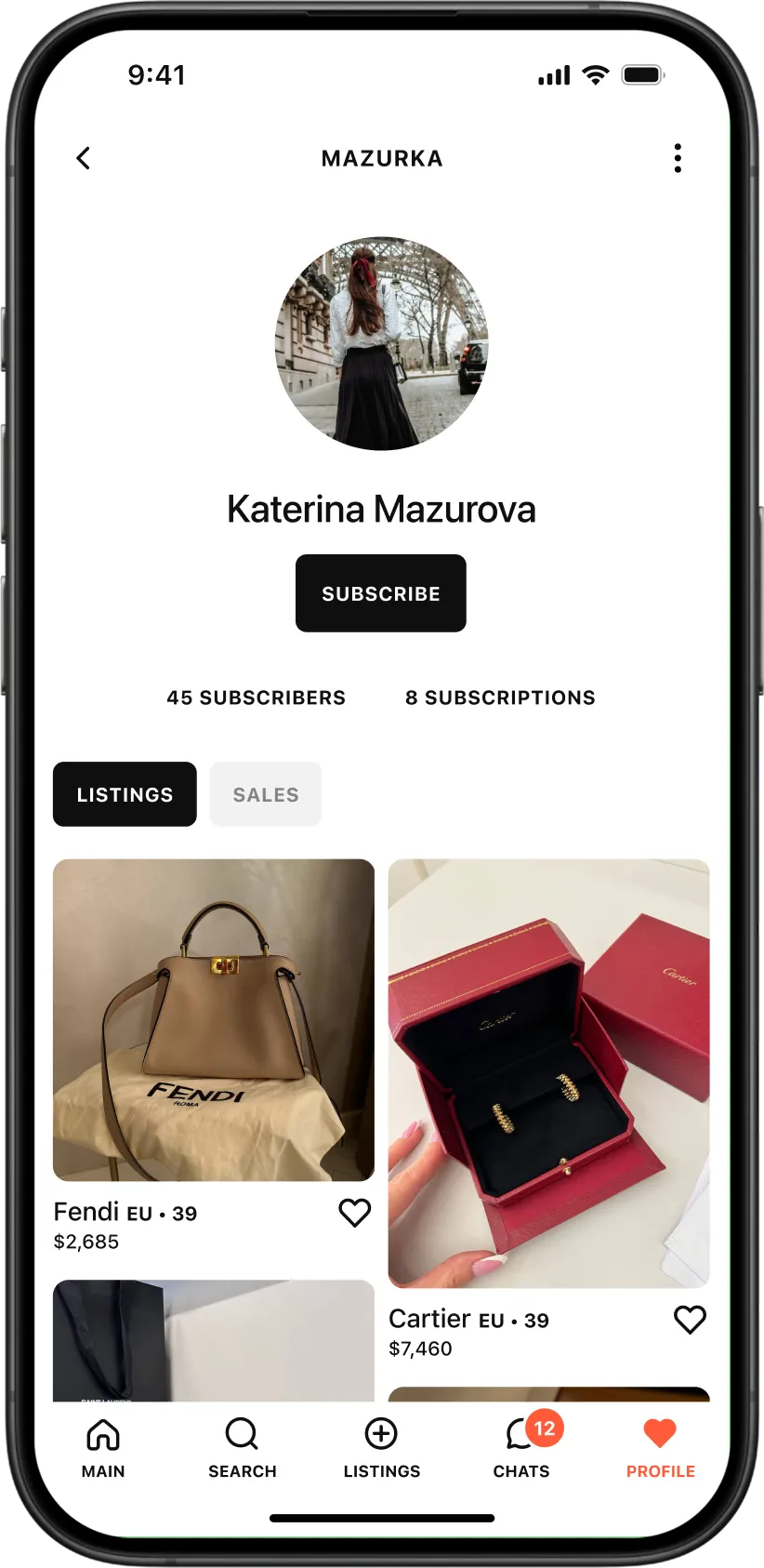
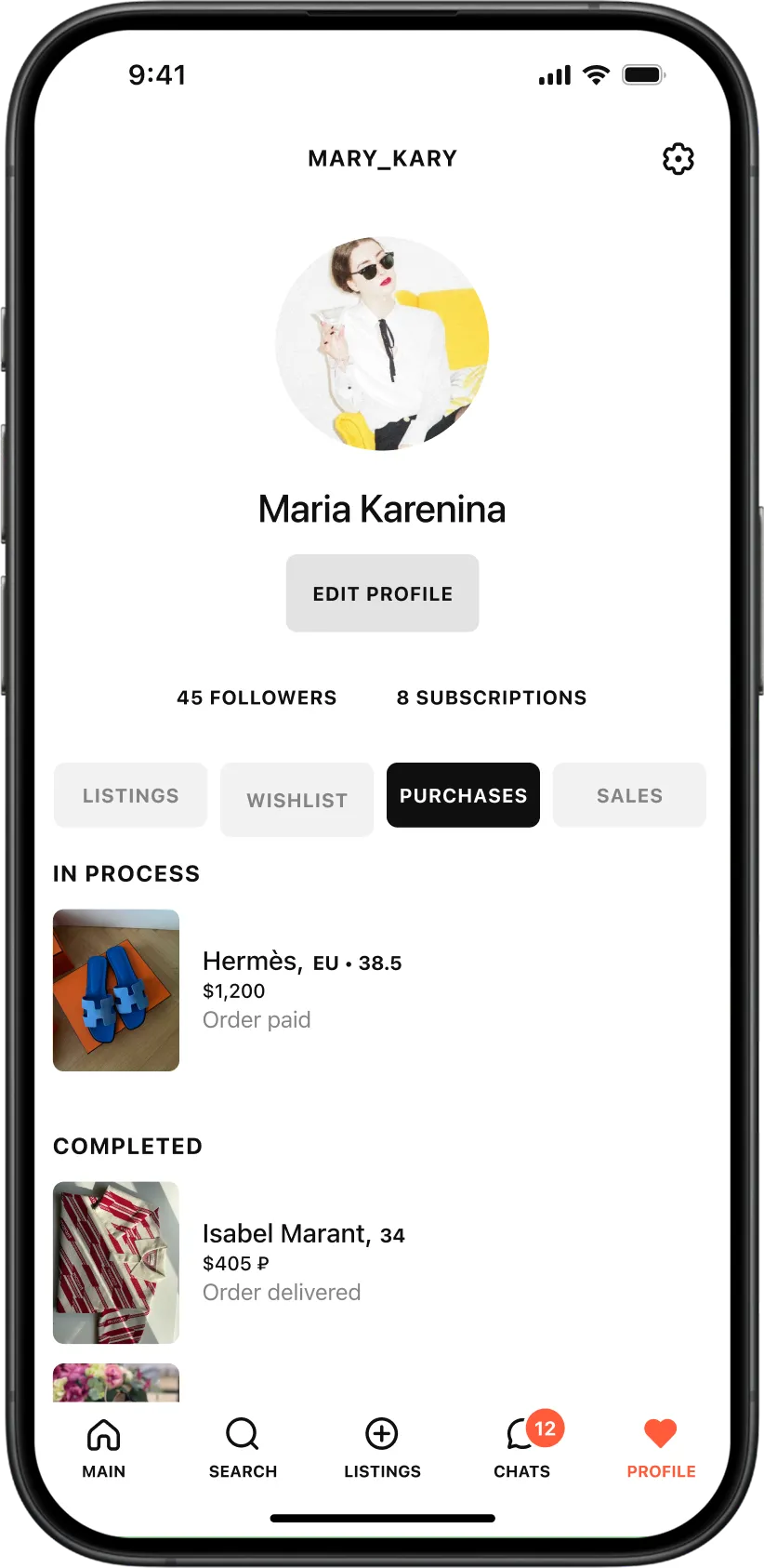
From there, users can easily toggle between their profile, active listings, purchases and sales history.
Results
We delivered a complete design system and UI package for iOS.
Following backend development for legal, logistics, payment processing and authentication workflows, Tuff Stuff launched on the App Store, staying visually identical to our original design.
It was a solid exercise in combining luxury aesthetics, marketplace mechanics and user trust inside a unified mobile app.
