Shapeyard
A 3D editor for iPhone and iPad based on NURBS modeling
Period:
2021 — 2025
Role:
Product Designer
Shapeyard is a 3D editor for iPad and iPhone that we built from scratch as a small team.
The project did not start with a finished product that simply needed an interface. It started with technology: NURBS modeling, OpenCascade, and early experiments with basic geometry.
Because of that, the design challenge was broader than usual. It was not just about creating screens, but about gradually shaping the logic of the editor: how the user creates an object, selects it, transforms it, moves from simple shapes to more complex models, and manages a scene on a touch device.
I was the only designer on the team and, in practice, was involved in shaping the product at the level of user scenarios, feature prioritization, the design system, and development constraints.
This case is about how we gradually turned a complex technical foundation into a working mobile tool for 3D modeling.
Context
A 3D editor is already a complex tool by itself. In our case, that complexity was amplified by the platform.
Most familiar 3D workflows have historically been built around desktop use: a large screen, mouse, keyboard, shortcuts, tool panels, a precise cursor, and enough space for supporting windows.
We were building an editor for iPad and iPhone. That immediately changed the design approach.
We had to consider screen size, finger-based control, the absence of shortcuts, fast switching between modes, and the need to avoid covering the scene with the interface.
The main question was not which buttons to place on the screen, but how a 3D editor should work when the core interaction happens through touch.
Approach
At the beginning, we intentionally did not try to build a large universal editor all at once.
The technology was new for the whole team, so it was important to move gradually and avoid overloading the product with complex features too early.
I suggested developing the editor vertically: each version should add one complete capability that we could build, test, and bring to a working state.
That is how we moved from simple to complex:
Empty scene and basic object creation
Adding primitives
Transforming primitives
Working with primitive components
Scene structure, boolean operations, and materials

This approach helped us avoid spreading the product across too many directions at once and kept the development path clear.
Touch Interface
Designing an interface for a 3D scene required constant balance.
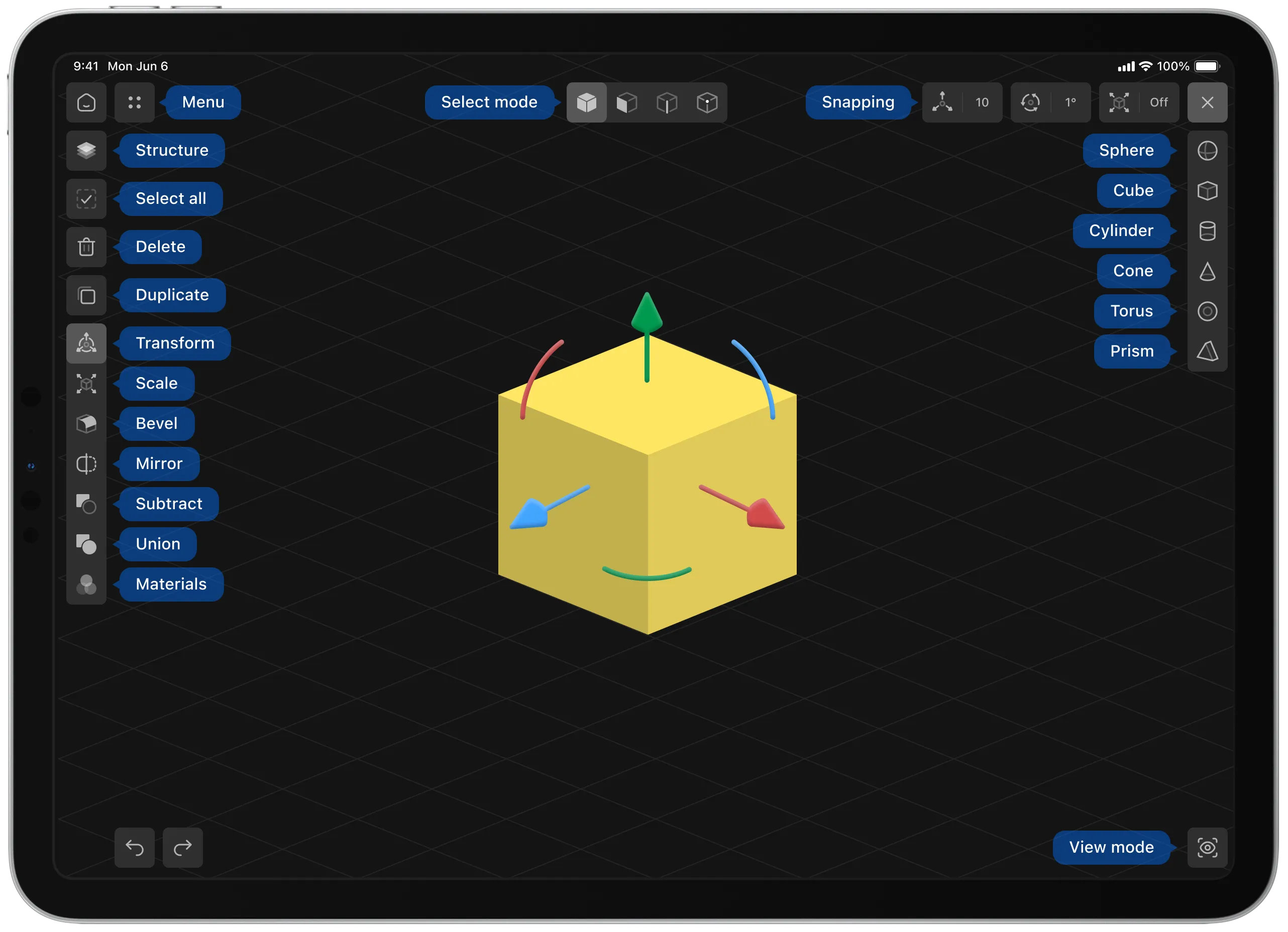
On one side, the user needs quick access to tools: selection, transformation, edit modes, primitives, structure, materials, and undo actions.
On the other side, the scene itself has to remain the main space of the product. If the screen is overloaded with panels and buttons, the editor quickly starts to feel cramped and complicated.
So the interface was built around compact panels, floating elements, and quick mode switches.
I tried to place tools close to the working context without taking attention away from the model.

It was especially important not only to draw controls, but also to think through states: what happens when an object is selected, when multiple objects are selected, when the user switches to another mode, when a panel is hidden, or when an action is unavailable.
Basic Editor Logic
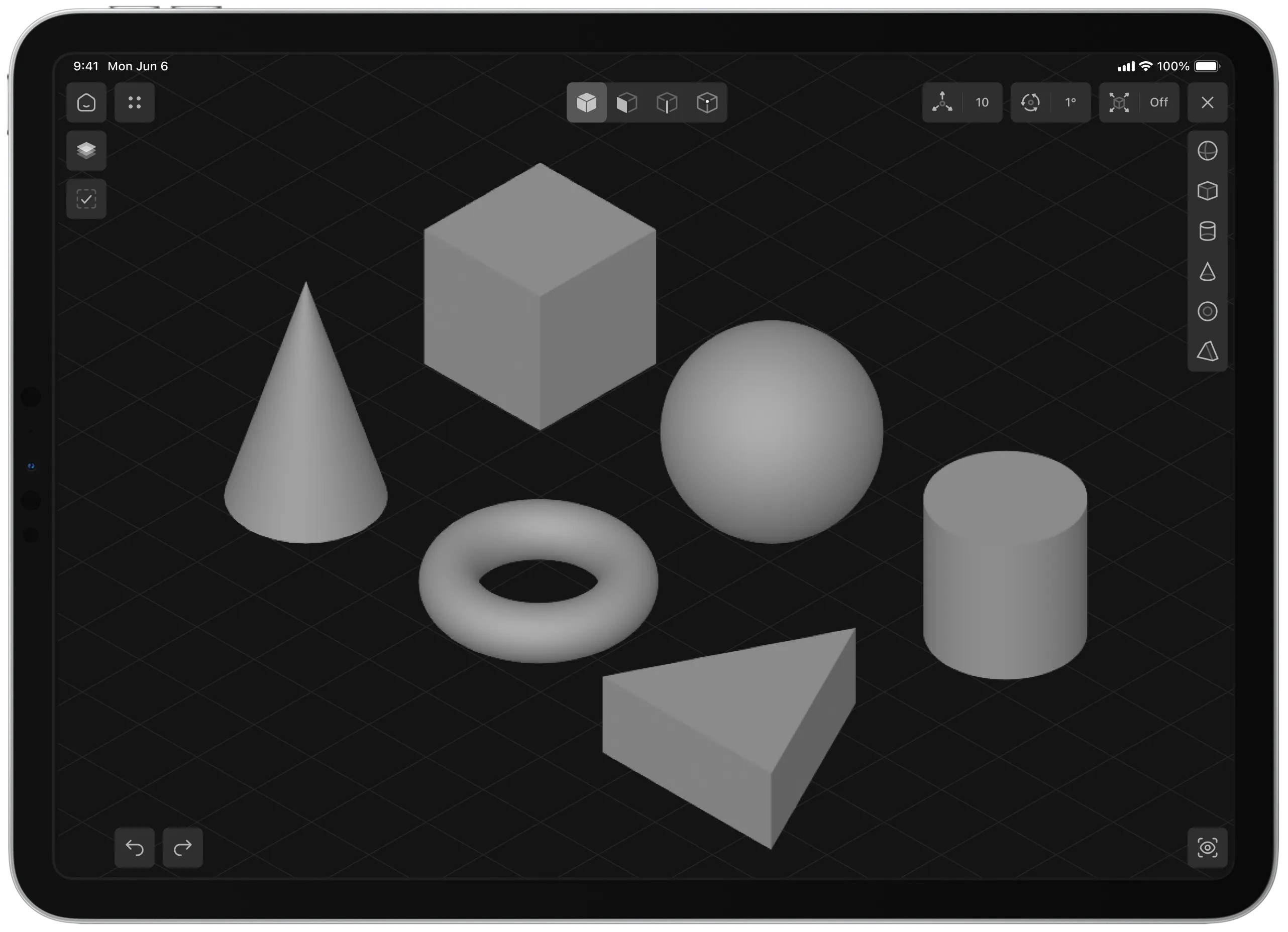
The foundation of modeling was a set of simple geometric shapes: cube, sphere, cylinder, cone, prism, and torus.
At first glance, this may seem like a basic set, but for the product it was an important decision.
We could have started with a single universal object and forced users to manually build every needed form from it. But for a first experience, that would have felt too abstract and slow.
So we added several ready-made primitives to help users start building a model faster and immediately understand the logic of the editor.

Primitives became the entry point into the product: the user adds a shape to the scene, selects it, changes its position, scales it, rotates it, and gradually builds a more complex object from simple elements.
Transformations
After adding primitives, the next key scenario was object transformation.
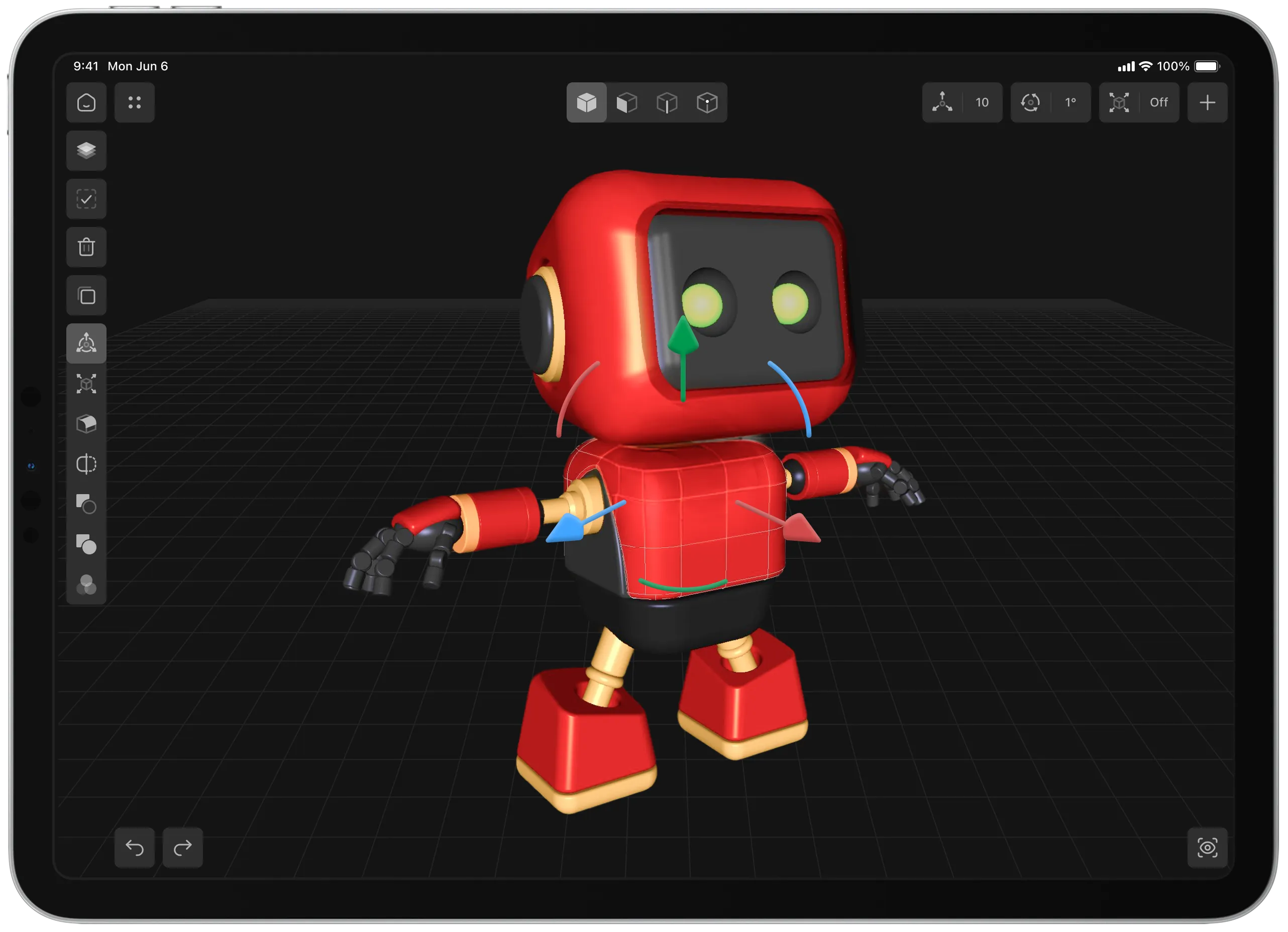
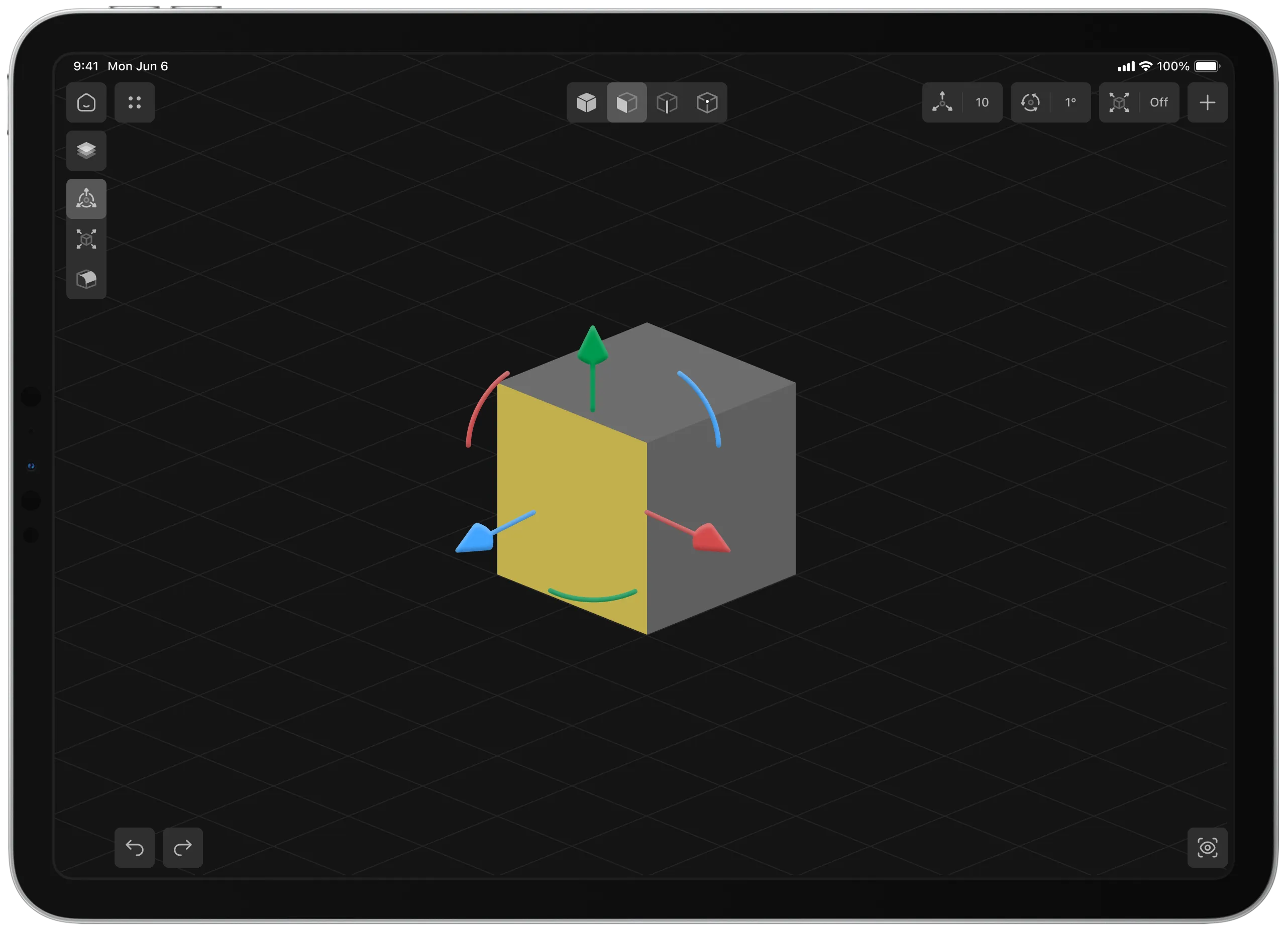
For this, we used a gizmo — a visual tool for controlling an object directly in the scene.
With it, the user could move, rotate, and scale a shape without opening a separate settings panel.
This was especially important for a mobile editor. On a touch device, the user needs to see the connection between action and result as directly as possible: select an object, drag the right axis or arc, and immediately see the change in the scene.


The gizmo became one of the central interface elements because most basic work with form happened through it.
From Objects to Components
Once basic object work became clear, we moved to deeper form editing.
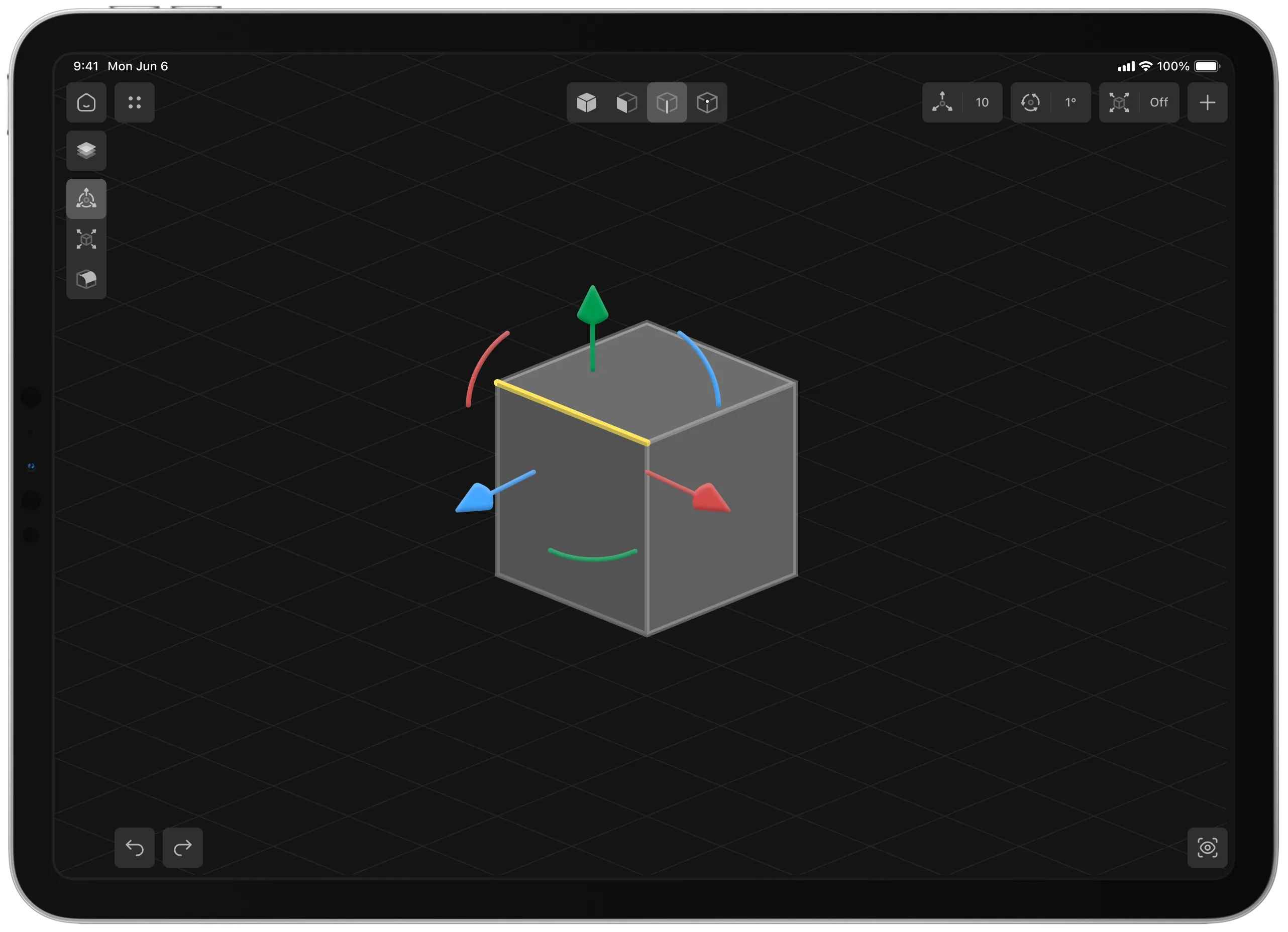
The user needed to work not only with the whole object, but also with its parts: faces, edges, and vertices.
This changed the nature of the product significantly.
Before that, the editor worked more like a builder made of ready-made shapes. After adding component editing, it started to become a more complete modeling tool.
It was important not to create a separate complex mechanic for this, but to extend the logic that the user already understood.
If someone already understood how to select and transform an object, they should be able to understand in a similar way how to select a face, edge, or vertex and edit the form more precisely.


This helped us preserve continuity in interactions: new capabilities appeared, but the basic control model stayed familiar.
Advanced Editing
The next step was adding tools that changed not just the position of a shape, but its construction.
One of these tools was bevel.
Bevel made it possible to smooth and round edges, turning sharp geometric forms into softer and more finished objects.
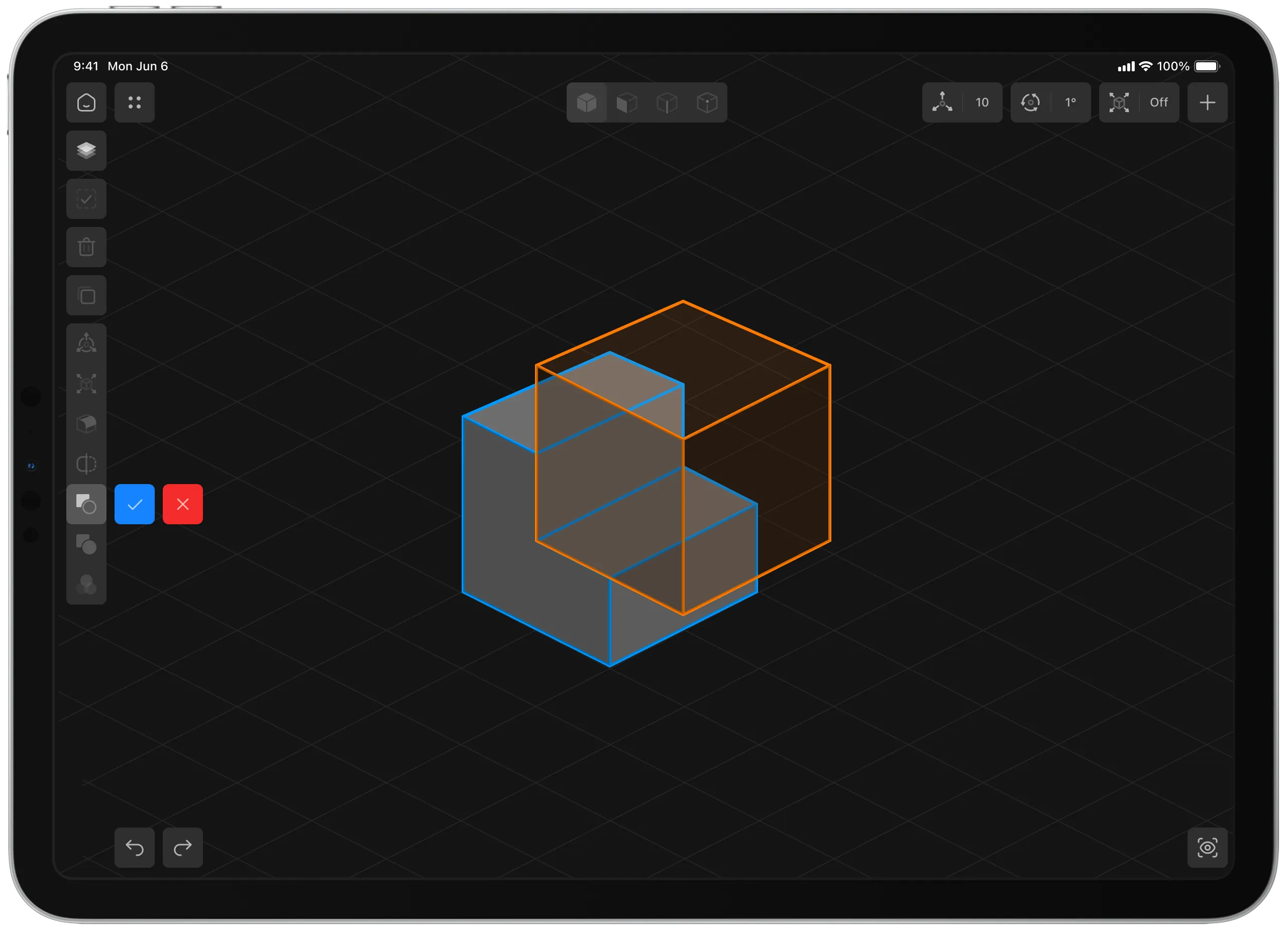
Another important feature was boolean operations.
They allowed users to combine shapes or subtract one object from another. This opened the way to more complex modeling: users could build form not only through moving and scaling, but also through the interaction between objects.
At the same time, we had to preserve mobile simplicity: not hide everything inside complex settings, but also not simplify the tool so much that it lost its meaning.


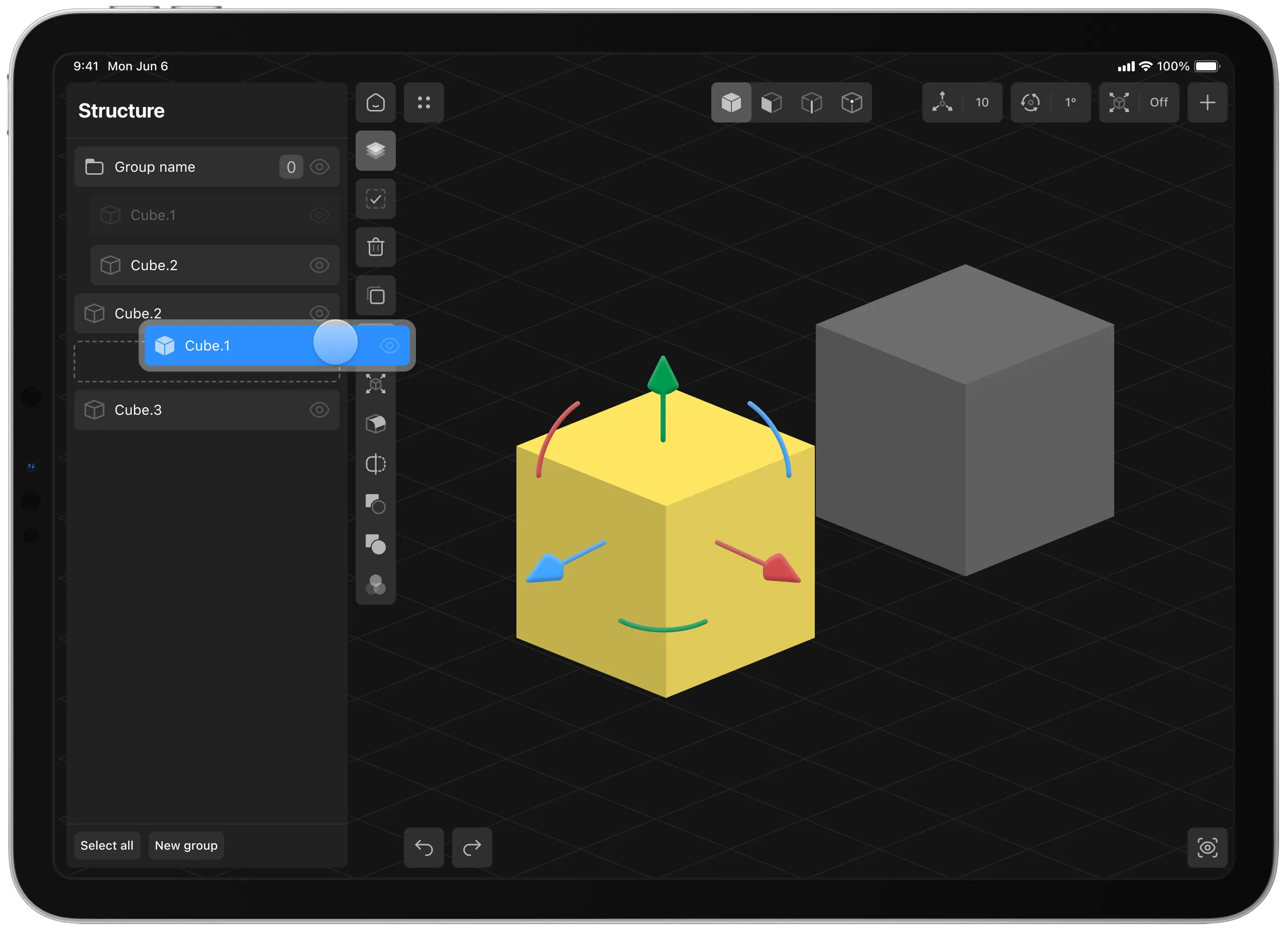
Scene Structure
Once there are several objects in a scene, visual work alone is not enough.
The user needs to understand what the model consists of, which elements are selected, what can be grouped, what can be hidden, and what should be renamed.
For this, we added scene structure.
It worked as an object hierarchy: users could see model elements, group them, select specific parts, manage visibility, and keep the scene organized.
3D modeling can become chaotic very quickly if the user has no way to manage complexity. Scene structure helped turn a collection of objects into a deliberate model.

Materials
At the final stages, we added materials.
Users could apply ready-made presets to objects: color, reflection, and surface style.
Before materials, a model looked more like a technical draft. After materials were applied, it started to feel like a finished object that could be shown, discussed, or used as a visual result.
Materials gave users a sense of progress: they were not just moving gray shapes in space, but gradually building an object that became visually expressive.

Process
Work on each new part started with a question: what is the next capability we are adding to the editor, and how should it work for the user?
After that, I worked through the scenario in Figma: screens, states, behavior, interactions, and edge cases.
A separate part of the process was discussion with development.
Almost every feature ran into technical constraints: what was already possible at the current stage, what required engine improvements, what had to be simplified, and what was better split into several iterations.
So design here was not a linear process of “designed — handed off — implemented.”
More often, it was a joint process of shaping the solution: we discussed mechanics, checked constraints, simplified the scenario, returned to the layouts, and gradually brought the feature to a state that could be implemented and tested.
Result
Shapeyard was published on the App Store as a beta.
By the time development stopped, the app allowed users to create simple 3D models, add primitives, transform objects, edit faces, edges, and vertices, use bevels and boolean operations, manage scene structure, and apply basic materials.
New version development is currently on hold.
For me, Shapeyard became an important experience of working with a complex tool-based product.
In this project, I worked not only on the interface, but also on the logic of the editor: feature development sequence, interaction architecture, design system, technical constraints, and the gradual transformation of technology into an understandable user tool.
The main lesson from this project is that the design of complex tools does not start with screens.
It starts with understanding how a person will think inside the product: where they begin, where they may get confused, how they understand the result of their action, and how they gradually move from simple operations to more complex ones.